
War Thunder is one of the most hardware-accessible games in its genre. The minimum spec lists hardware from 2007, and the game genuinely runs on it. Gaijin built the engine to scale from very low-end hardware all the way to high-end setups with modern visual features. Most PCs built in the last decade handle it well at 1080p/60fps. The game does scale up significantly at high quality settings with many vehicles and effects on screen, but even mid-range hardware hits competitive framerates.
Minimum vs Recommended Specs
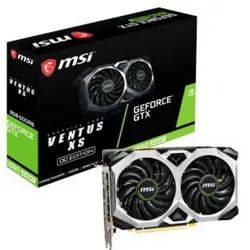
NVIDIA GTX 1660 Super
- Budget upgrade
- Big fps boost
- 192-Bit and 6GB GDDR6 memory with 14000 MHz
- higher quality gaming experience
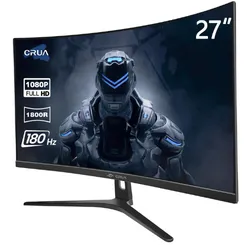
144Hz 1080p Gaming Monitor
- 27 inch curved gaming monitor
- Ultra-smooth gameplay
- High-resolution display
- 180Hz refresh rate
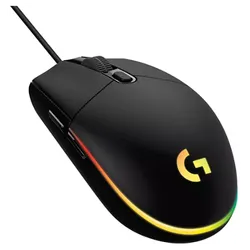
Logitech G203 Gaming Mouse
- Budget mouse for aerial combat
- 8,000 DPI
Quick Compatibility Reference
| Your Hardware | Can You Run It? | Expected Performance |
|---|---|---|
| RTX 2060 / RX 5700 + i5 + 16GB | Yes, maxed | 1080p / Ultra / 100fps+ |
| GTX 1660 / RX 5600 XT + i5 + 8GB | Yes | 1080p / High / 60-100fps |
| GTX 1060 / RX 580 + i5 + 8GB | Yes (recommended) | 1080p / High / 60fps |
| GTX 970 / R9 390 + 4GB | Yes | 1080p / Medium / 60fps |
| GTX 750 Ti / HD 4870 + 4GB | Yes (minimum) | 1080p / Low / 30-60fps |
| Intel HD 4000 (integrated) | Borderline | 720p / Minimum / ~30fps |
War Thunder Graphics Presets Explained
War Thunder uses preset quality levels from Minimum to Ultra. The Medium preset is a good starting point for most hardware — it enables good-looking ground textures and vehicle detail while keeping effects manageable. The biggest visual and performance jump comes from enabling dynamic shadows and SSAO, which are off below High preset.
Vehicle density matters significantly for performance. Large-scale ground battles with many players and vehicles in a small area are the most hardware-intensive scenarios. Reducing the Effects Quality setting specifically helps in these situations without affecting vehicle visual quality.
Affiliate links:if you buy through these, PerfGamer earns a small commission at no extra cost to you.