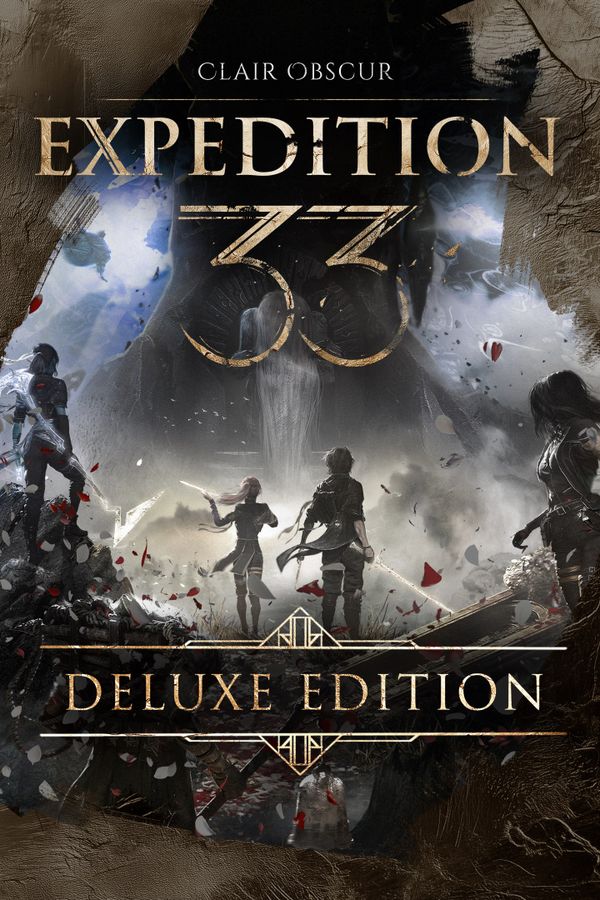
Clair Obscur: Expedition 33 is a visually stunning Unreal Engine 5 RPG from Sandfall Interactive that leans hard on UE5’s Lumen global illumination, NVIDIA recommends an RTX 3080 for 1080p High at 60fps, which is a steep ask compared to most RPGs. The game is GPU-bound by design, but built-in support for DLSS 3, FSR 2, and XeSS gives mid-range and older cards a real lifeline. With 35 GB on an SSD and 16 GB of RAM as the baseline, most modern rigs built in the last four years will land somewhere between playable and comfortable.
Clair Obscur Expedition 33 PC System Requirements – all Tiers
| Spec | Minimum | Recommended | High (1080p/60fps) | Ultra 2K | Ultra 4K |
|---|---|---|---|---|---|
| OS | Windows 10 64-bit (version 1903 or later) | Windows 10/11 64-bit | Windows 10/11 64-bit | Windows 11 64-bit | Windows 11 64-bit |
| CPU | AMD Ryzen 5 3600 / Intel Core i7-8700K | AMD Ryzen 5 5600X / Intel Core i5-12600K | AMD Ryzen 7 5800X3D / Intel Core i7-12700K | AMD Ryzen 7 5800X3D / Intel Core i9-12900K | AMD Ryzen 9 7900X / Intel Core i9-13900K |
| GPU | NVIDIA GeForce GTX 1660 Super / AMD Radeon RX 5600 XT | NVIDIA GeForce RTX 3080 / AMD Radeon RX 6800 XT | NVIDIA GeForce RTX 3080 Ti / AMD Radeon RX 6900 XT | NVIDIA GeForce RTX 4080 / AMD Radeon RX 7900 XT | NVIDIA GeForce RTX 4090 / AMD Radeon RX 7900 XTX |
| RAM | 16 GB DDR4 | 16 GB DDR4 | 32 GB DDR4 | 32 GB DDR5 | 32 GB DDR5 |
| VRAM | 6 GB | 10 GB | 12 GB | 16 GB | 24 GB |
| Storage | 35 GB SSD | 35 GB SSD | 35 GB NVMe SSD | 35 GB NVMe SSD | 35 GB NVMe SSD |
| DirectX | DirectX 12 | DirectX 12 | DirectX 12 | DirectX 12 | DirectX 12 |
| Target | 1080p 30fps Low | 1080p 60fps High | 1440p 60fps High | 1440p 60fps Ultra | 4K 60fps Ultra |
Can I Run Clair Obscur Expedition 33? Quick Compatibility Reference
| Your GPU | Can You Run It? | Real-World Performance |
|---|---|---|
| RTX 4090 | Yes, easily | Effortlessly handles 4K Ultra at 60+ fps with Frame Generation enabled; completely overkill for 1080p or 1440p |
| RTX 3080 | Yes | The official recommended GPU — delivers solid 60fps at 1080p High; expect 50-60fps at 1440p High with DLSS Quality |
| RTX 2070 | Yes | Comfortable 60fps at 1080p High settings; drops to 45-55fps at 1440p — enable DLSS Balanced for a smooth 1440p experience |
| RTX 2060 | Borderline | Playable at 1080p Medium around 50-55fps; DLSS Quality is strongly recommended to maintain consistent frametimes |
| GTX 1660 Super | Minimum | The official minimum GPU — targets 30fps at 1080p Low; FSR Quality can push closer to 40fps but High settings are not viable |
| GTX 1060 6GB | Minimum | Falls just below the official minimum; achieves roughly 25-30fps at 1080p Low — FSR Performance mode helps but overall experience is marginal |
| GTX 950 or older | No | Insufficient GPU performance and VRAM for Unreal Engine 5’s Lumen renderer; does not meet minimum DirectX 12 feature level requirements |
Is Clair Obscur Expedition 33 Well Optimized? The Engine Reality
Clair Obscur: Expedition 33 is built on Unreal Engine 5 and makes extensive use of its most GPU-intensive features — Lumen for fully dynamic global illumination and reflections, and Nanite for virtualized geometry on its densely detailed environments. This makes it one of the more demanding RPGs of 2025 despite being a turn-based game: beautiful painterly vistas come at a real GPU cost, and the recommended tier jumping to an RTX 3080 or RX 6800 XT reflects how hard Lumen in particular hammers ray-accelerated hardware.
Because Expedition 33 is a single-player turn-based RPG with no multiplayer and no large open world to simulate simultaneously, CPU load is relatively moderate compared to open-world action games. The main CPU spikes occur during combat initiation, cutscene streaming, and area transitions rather than sustained during gameplay turns. A modern six-core CPU at or above the recommended specs handles these loads comfortably; older quad-cores may see brief frame pacing inconsistencies during heavy cutscene loads.
Sixteen gigabytes of RAM is the practical minimum for a smooth experience — UE5’s asset streaming keeps a sizeable resident set of textures and geometry data in memory, and systems with only 8 GB will frequently hit their ceiling, forcing the OS to page to the SSD and causing visible stutter. If you are running 8 GB, lowering texture quality to Medium is a prerequisite, not optional. DDR5 and higher-bandwidth DDR4 kits do not meaningfully outperform standard DDR4-3200 here, so frequency chasing is not worth the cost.
Settings to Tweak for More Frames Without Losing Visibility
Lumen is the single most expensive setting in Expedition 33 — switching it from High to Medium or disabling hardware ray tracing and falling back to screen-space GI can recover 20–35% GPU frame time on mid-range cards. The visual trade-off is reduced indirect light accuracy in interiors and slightly flatter shadows, but the game’s strong art direction holds up well at lower Lumen tiers.
Shadow quality at High or Epic forces cascaded shadow maps at very high resolution across a wide draw distance, which is expensive on both GPU and CPU. Dropping Shadow Quality from Epic to Medium and reducing Shadow Distance to Medium costs minimal visual fidelity in motion but can recover 8–15 fps on cards at the GTX 1660 Super level, particularly in outdoor environments with many dynamic light sources.
Expedition 33 supports NVIDIA DLSS 3 (with Frame Generation on RTX 40-series), AMD FSR 3, and Intel XeSS — enabling Quality preset upscaling at 1440p or 4K typically delivers a 40–60% frame rate uplift with minimal sharpness loss thanks to the game’s strong temporal reconstruction tuning. On GTX 10/16-series cards without Tensor cores, FSR 2 Quality mode is the practical path to playable frame rates at 1080p with high visual settings.
Epic texture quality in Expedition 33 loads assets that comfortably exceed 6 GB of VRAM, making it unsuitable for GPUs with 6 GB or less at High/Epic in other settings simultaneously. Dropping textures from Epic to High frees roughly 1.5–2 GB of VRAM with almost no perceptible difference during gameplay, while Medium is the safe choice for 4 GB cards — fine detail on character models softens slightly but environmental fidelity remains strong.
Frequently Asked Questions
Can I run Clair Obscur Expedition 33 on a GTX 1060?
The GTX 1060 6GB sits just below the official minimum of a GTX 1660 Super, but it can technically run the game at 1080p with all settings on Low, targeting around 25-30fps. Enabling FSR 2 Performance mode can push that closer to 35-40fps with acceptable image quality. It is not a comfortable experience, but the game is technically functional if you are willing to sacrifice visual fidelity.
How much RAM do I need for Clair Obscur Expedition 33?
16 GB of RAM is required at both the minimum and recommended spec tiers. As an Unreal Engine 5 game with Lumen and Nanite active, the engine’s memory footprint is substantial — running on 8 GB will cause stuttering and extended load screens. 32 GB is recommended if you plan to play at 1440p or 4K, or if you keep a browser or streaming software open alongside the game.
Does Clair Obscur Expedition 33 support DLSS or FSR?
Yes. Clair Obscur: Expedition 33 ships with NVIDIA DLSS 3 support including Frame Generation for RTX 40-series cards, AMD FSR 2, and Intel XeSS. Upscaling support is essential for entry-level and older GPUs — enabling DLSS Quality or FSR Quality at 1080p typically adds 25-40% more frames with minimal visual difference, and is the recommended approach for anything below an RTX 3080.
Is Clair Obscur Expedition 33 CPU or GPU heavy?
It is primarily GPU-bound. Unreal Engine 5’s Lumen global illumination and Nanite geometry systems place the heaviest load on the graphics card. A 6-core CPU at 3.6 GHz or better, such as the Ryzen 5 3600 or i7-8700K, is sufficient to avoid CPU bottlenecks at the minimum tier. At 1080p and 1440p, you will almost always hit a GPU ceiling before the CPU becomes a limiting factor.
What is the minimum GPU for Clair Obscur Expedition 33?
The official minimum GPU is the NVIDIA GeForce GTX 1660 Super or the AMD Radeon RX 5600 XT, both requiring 6 GB of VRAM. At this tier, expect 1080p Low settings at approximately 30fps. Cards with less than 6 GB of VRAM will struggle regardless of shader performance, as UE5’s asset streaming is VRAM-hungry even on Low settings.
Can I run Clair Obscur Expedition 33 on a laptop?
Yes, provided your laptop has a dedicated GPU equivalent to a GTX 1660 Super or stronger. Keep in mind that mobile GPUs share the same model names as desktop parts but perform 15-30% lower due to power and thermal constraints. A laptop RTX 3070 or RTX 4060 will hit 60fps at 1080p High comfortably. Plug in during play and ensure your laptop’s cooling is adequate — sustained GPU loads will throttle thermally limited systems.
Does Clair Obscur Expedition 33 require an SSD?
An SSD is effectively required for a good experience. The game’s minimum spec does not explicitly mandate an SSD, but Unreal Engine 5 streams high-resolution Nanite geometry and Lumen data continuously during play. Running from an HDD will produce severe texture and geometry pop-in and significantly longer load times between areas. A SATA SSD is the practical floor; NVMe storage is recommended for Ultra settings and fast scene transitions.
What DirectX version does Clair Obscur Expedition 33 use?
Clair Obscur: Expedition 33 requires DirectX 12. This means Windows 10 version 1903 or later at minimum, and a GPU that supports the DirectX 12 feature level. All GTX 900-series and newer NVIDIA cards and all RX 400-series and newer AMD cards are DirectX 12-compatible, so this only affects users still running very old hardware from 2014 or earlier.