
The short answer: it depends heavily on which act you’re in. Baldur’s Gate 3 is one of the most technically demanding RPGs released in the last decade, but Larian built it to scale across a wide range of hardware. Minimum specs will get you into the game on a GTX 970 and 8GB of RAM, but Act 3 the city of Baldur’s Gate itself is a different story. That area pushes even recommended hardware. Use the checker below to see where your PC stands, then read on for the honest picture.
Baldur’s Gate 3 Minimum vs Recommended PC System Requirements
Larian Studios published these specs for the full release (Patch 1.0, August 2023). They’ve been updated slightly since with ray tracing requirements added for the high-end tier. The minimum is aimed at 1080p at 30fps on low settings. Recommended targets 1080p at 60fps on high. There’s also a 2K/ultra tier for those chasing the best visual experience.
| Spec | Minimum | Recommended | 2K / Ultra |
|---|---|---|---|
| OS | Windows 10 64-bit | Windows 10 64-bit | Windows 10/11 64-bit |
| CPU | Intel i7-8700K / AMD Ryzen 5 3600 | Intel i7-8700K / AMD Ryzen 5 3600 | Intel i7-8700K / AMD Ryzen 5 3600 |
| GPU | Nvidia GTX 970 / AMD RX 480 (4GB VRAM) | Nvidia RTX 2060 Super / AMD RX 5700 XT (8GB VRAM) | Nvidia RTX 2060 Super / AMD RX 5700 XT (8GB VRAM) |
| RAM | 8 GB | 16 GB | 16 GB |
| VRAM | 4 GB | 8 GB | 8 GB |
| Storage | 150 GB SSD | 150 GB SSD | 150 GB SSD |
| DirectX | Version 11 | Version 11 | Version 12 |
| Target | 1080p / Low / ~30fps | 1080p / High / 60fps | 1440p / Ultra / 60fps |
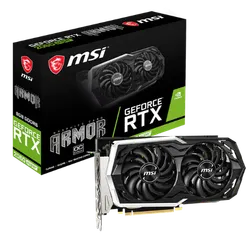
Msi Graphics Card - GF RTX 2060 Super
- Meets recommended GPU spec — 1080p/High/60fps including Act 3
- 8GB GDDR6 VRAM handles city environments without stuttering
- Ray tracing support for enhanced lighting and shadows
- Triple-fan cooling stays stable during long sessions
- 4.6 stars across 106 buyer reviews
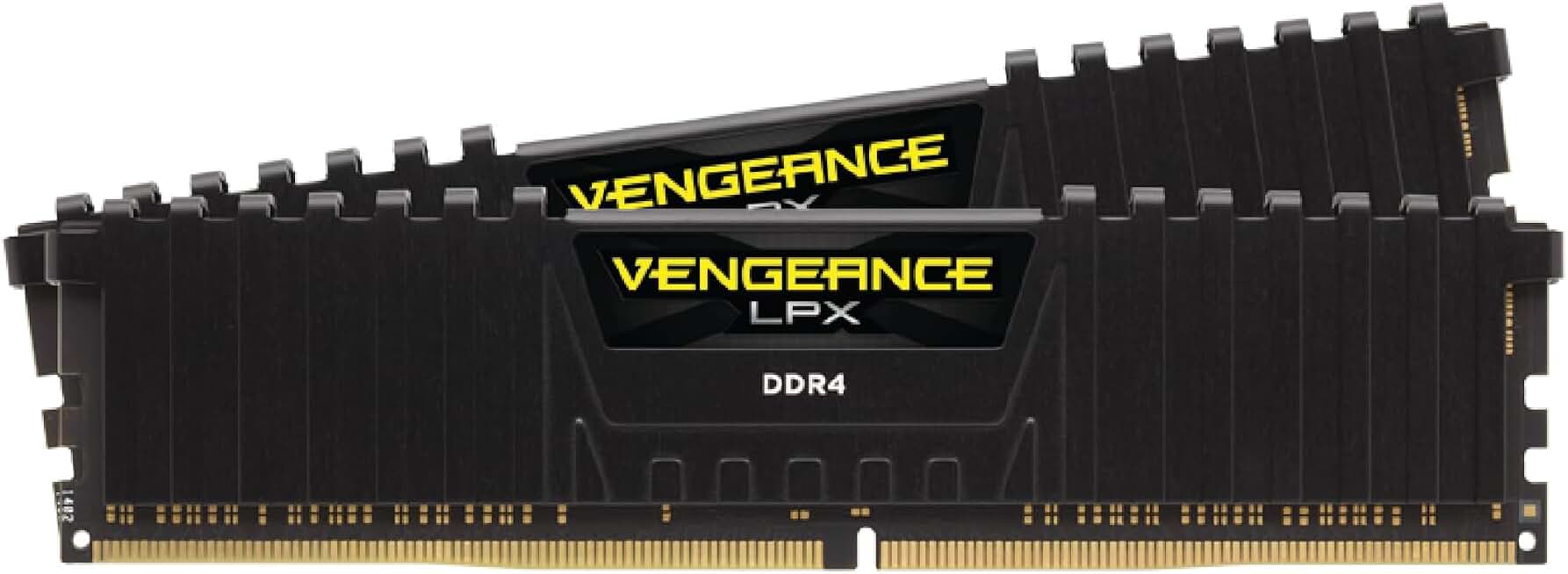
Corsair Vengeance LPX 32GB DDR4 3200MHz
- 32GB dual-channel for modpack performance
- 3200MHz speed, CL16 low latency
- Compatible with Intel XMP and AMD EXPO
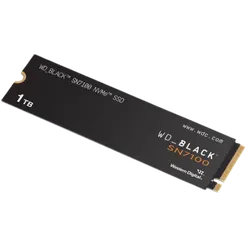
WD_Black SN7100 1TB NVMe SSD - Gen4 PCIe
- Gen4 NVMe with 7,250 MB/s reads — near-instant BG3 load times
- Reduces Act 3 loading screens and area transitions noticeably
- PS5-certified speed with headroom for PC gaming demands
- Gaming firmware prioritizes sustained sequential reads
- 4.8 stars from over 5,600 buyers
Can I Run Baldur’s Gate 3? Hardware Compatibility Table
BG3 is one of those games where the “recommended” label means something. A GTX 970 at minimum settings will run the first two acts acceptably, but Act 3 in Baldur’s Gate city is packed with NPCs, dynamic lighting, and cinematics that scale with hardware. Here’s what to realistically expect at each tier.
| Your GPU | Can You Run It? | Realistic Performance |
|---|---|---|
| RTX 3070 / RX 6700 XT + 16GB RAM | Yes, easily | 1440p / Ultra / 60fps+ including Act 3 |
| RTX 2060 Super / RX 5700 XT + 16GB RAM | Yes | 1080p / High / 60fps minor dips in Act 3 |
| RTX 2060 / RX 5600 XT + 16GB RAM | Yes | 1080p / High / 50–60fps Act 3 needs medium shadows |
| GTX 1660 Super / RX 590 + 16GB RAM | Mostly | 1080p / Medium / 40–55fps Act 3 drops to low shadows |
| GTX 1060 6GB + 16GB RAM | Borderline | 1080p / Low / 30–40fps struggles in Act 3 crowds |
| GTX 970 / RX 480 (4GB VRAM) + 8GB RAM | Minimum | 1080p / Low / ~30fps Act 3 hits 20fps in busy areas |
| GTX 1050 Ti 4GB / RX 570 4GB | Below official min | Runs on low, VRAM pressure noticeable, expect stutter |
| GTX 1050 2GB / Cards with less than 4GB VRAM | No | VRAM insufficient crashes and black textures likely |
| Integrated graphics (Intel UHD / AMD Vega) | No | Not supported |
The Act 3 Problem What Nobody Tells You About BG3 Requirements
Baldur’s Gate 3 is not one uniform game performance-wise. It’s three very different experiences from a hardware standpoint, and this is probably the most important thing to know before you launch.
Act 1 and Act 2 are mostly wilderness and dungeon environments. NPC density is manageable, and the engine runs cleanly even on older hardware. A GTX 970 on low settings handles Act 1 fine. You’ll spend 40 to 60 hours here depending on how deep you go into side content.
Act 3 is the city of Baldur’s Gate. It’s dense, cinematic, and packed with hundreds of unique NPCs with full voice acting and interactive scripting. The lighting system, shadow casting, and rendering load in this area are fundamentally different from what came before. Even Larian publicly acknowledged performance issues in Act 3 at launch, and while patches have improved things significantly, this remains the most demanding section of the game. A GTX 1060 that handled Act 1 comfortably will stutter in the Lower City.
RAM and VRAM: The Two Numbers That Actually Matter
BG3 is more sensitive to RAM and VRAM than most RPGs. Here’s why both matter more than usual with this title.
System RAM: The game keeps large amounts of dialogue, quest state, and NPC behavior trees in memory simultaneously. At 8GB, you’ll constantly hit the ceiling especially if you’re in Act 3 with a browser or Discord open. 16GB is not a recommendation here, it’s a practical requirement for a stable experience across the full game. Players on 8GB report save issues, stuttering in cut scenes, and occasional crashes in late game content.
VRAM: Larian uses a deferred rendering pipeline that is VRAM-hungry even at medium settings. At 1080p on high settings you’re looking at 5 to 6GB of VRAM usage on a clean scene. In Act 3 this spikes. On cards with 4GB VRAM, the game starts streaming assets in and out, causing texture pop-in and stutter that settings adjustments can only partially fix. 8GB VRAM is the comfortable floor for a smooth experience at recommended settings.
Technically minimum but genuinely limiting. Acts 1 and 2 are manageable if you close background apps. Act 3 is rough. Budget for an upgrade if you can 16GB is cheap in 2026.
The real minimum for a comfortable playthrough. Handles Act 3, background apps, and the game’s heavy save system without issues. This is where BG3 was designed to live.
Functional but you’ll feel VRAM pressure in Act 3. Texture quality needs to stay at medium. Shadows are the first thing to drop. Playable but not comfortable.
Comfortable at 1080p high and 1440p medium-high. The game’s visual rendering was clearly designed with this tier in mind. Textures load cleanly even in complex scenes.
Storage 150GB is Not Optional
BG3 is one of the largest game installs available. The base game is around 150GB and that reflects how much content Larian packed in full cinematic cutscenes for virtually every major decision, thousands of lines of voiced dialogue per companion, and a handcrafted world across three massive acts. This number won’t shrink. If anything it’s grown slightly with post-launch patches.
| Platform | Install Size | Recommended Free Space | Storage Type |
|---|---|---|---|
| PC (Steam / GOG) | ~150 GB | 160 GB+ | SSD required |
| PS5 | ~122 GB | 130 GB+ | Internal NVMe SSD |
| Xbox Series X/S | ~130 GB | 140 GB+ | Internal SSD |
Console Requirements PS5 and Xbox Series
BG3 launched on PS5 alongside PC and later came to Xbox Series X/S. It’s not available on PS4 or Xbox One Larian attempted a PS4 version and cancelled it citing technical limitations. The console experience is strong, though it lacks some of the graphical flexibility you get on PC for tuning performance.
Full native support. 4K/30fps or 1080p/60fps mode. Ray tracing in the quality mode. Co-op splitscreen (a feature PC still doesn’t have). Excellent controller implementation with haptics.
Full support. Similar performance modes to PS5. No splitscreen co-op at launch Larian added it in a later patch. Series S at 1080p/30fps with reduced settings.
Mac Requirements
BG3 has native Mac support via Metal, added in a post-launch patch. Requirements are more specific on Mac because Apple Silicon and Intel Macs behave differently.
| Spec | Mac Minimum | Mac Recommended |
|---|---|---|
| Chip | Apple M1 (any) | Apple M2 Pro / M3 |
| macOS | Ventura 13.6+ | Sonoma 14+ |
| RAM | 16 GB unified memory | 32 GB unified memory |
| Storage | 150 GB SSD | 150 GB SSD |
| GPU Cores | M1 8-core GPU | M2 Pro 19-core GPU |
Intel Macs are not supported. If you’re on a pre-2020 MacBook Pro with an Intel chip and AMD or Intel GPU, BG3 will not launch. Apple Silicon is the hard requirement on the Mac side. The M1 base chip handles 1080p at medium settings around 30fps. The M2 Pro and M3 run it comfortably at 1440p on high.
Settings to Tweak If You’re Near the Minimum
If you’re borderline on specs, these are the settings that give you the most performance back for the least visual impact in BG3 ranked roughly by their effect on frame rate.
Dropping shadows from high to medium recovers 10–15fps in Act 3 dense areas. This is the first slider to touch if you’re struggling. High shadows are beautiful but extremely expensive in BG3’s engine.
Disabling volumetric fog and reducing volumetric lighting gives back 5–8fps and barely changes how the game looks in daylight scenes. Indoors and in cave areas it’s more noticeable, but worth it at minimum specs.
If you’re on 4GB VRAM, drop textures to medium. This directly reduces VRAM pressure and eliminates most of the texture streaming stutter in Act 3. The quality difference at 1080p is subtle but VRAM stability is worth it.
TAA is on by default and costs more than you’d expect. FXAA at 1080p looks fine for an RPG where you’re spending most of your time in conversation and tactical view. 3–5fps recovered.