Look, a lot of gamers think a gaming platform is just an install button and a library of games. It’s way more than that. A PC gaming platform is the whole ecosystem that shapes your experience – buying games, downloading them, updates, cloud saves, friends lists, mod support, customer service, sometimes even streaming.
When you understand what makes up a platform, you pick better ones and avoid ending up with five launchers open just to play one game.
Platform vs Launcher vs Store vs Client
People mix up these terms constantly, and it creates confusion.
A PC gaming platform is the complete ecosystem. It can include a store, software on your PC, online services, social features, and tools. Steam is a platform. Epic Games Store is a platform. GOG is a platform. Xbox app on PC is a platform, especially when tied to Game Pass.
A store is the shop where you buy a license to play a game. It can exist on the web, in an app, or both.
A launcher is the program that launches your games. It usually handles updates and login authentication too. In practice, launcher and client overlap a ton.
The client is the full application that includes the store, your library, friends list, and settings all in one.
Your library is the list of games tied to your account. It’s your gamer passport and where real differences between platforms start showing up.
What actually changes between platforms
On paper, they all promise the same stuff. In reality, four things make immediate differences.
Access to games and availability
Some platforms have timed exclusives, partnerships, or push certain publishers hard. Others focus on old games, indie titles, or DRM-free versions.
Your game genres matter. If you love day-one blockbusters, you’ll make different choices than someone collecting classic games.
Quality of daily experience
The real test isn’t the day you buy. It’s Tuesday night when you just want to launch a game quickly.
Client startup time, download stability, disk management, resume after pause, clear interface or confusing mess. These details add up fast.
Social ecosystem
Friends lists, invites, chat, groups, screenshots, streaming, reviews. Some platforms are super rich with social features. Others are barebones.
Depending on how you play, this can be essential or totally secondary.
Ownership and longevity
On PC, you almost always buy a license tied to an account. That means access depends on the platform, your login, and their terms of service.
A few platforms offer more player-friendly options like offline installers so you can keep backup copies. If you want to build a library that lasts ten years, this point is gold.
Key features to check before choosing
I compare this to picking a travel hub. Some airports are beautiful, but you miss connections. Others are less flashy, but everything flows smoothly.
For a PC gaming platform, these features make the difference.
Cloud saves: peace of mind when switching PCs
Cloud saves sync your progress across devices. You reinstall, you continue. Sounds basic, but it’s not always perfect.
Some games handle it poorly. Sometimes there’s conflicts between local and cloud saves. Good platforms make this clear and let you choose.
Overlays and In-Game tools
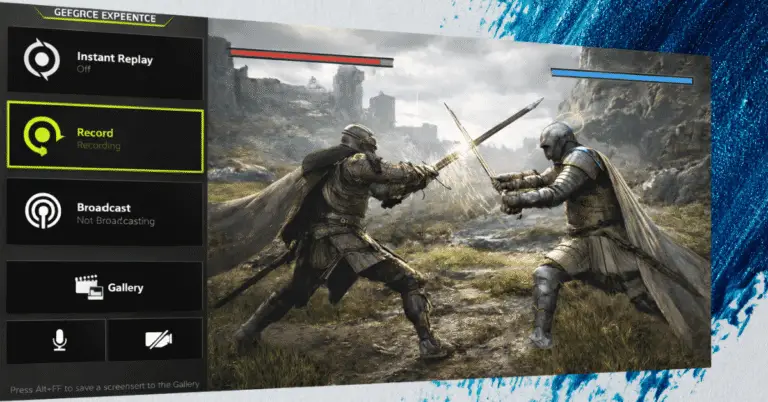
An overlay is the little panel that pops up over your game. It’s used for chat, screenshots, FPS monitoring, sometimes video recording.
Super convenient. It can also create conflicts with some anti-cheat software or tank performance on weak systems. If your PC isn’t powerful, keep this in mind.
Updates and storage management
Platforms don’t all handle folders, multiple libraries, or games spread across drives equally well.
If you have an SSD for competitive games and a bigger HDD for everything else, you want a tool that moves files cleanly without hacks.
Refunds and support
Refunds aren’t about not liking a game. They’re usually a time window and usage limit with specific conditions.
A platform that’s clear about refund rules protects you when a game runs terribly or is unplayable on your machine. Customer support matters the day you lose account access. It happens faster than you think, especially if you reuse passwords everywhere.
Account security
Enable two-factor authentication. It’s an extra code, usually via an app. Annoying for two minutes, but saves your library.
Serious platforms make this option simple and push you to use it. If the tool is confusing or buried, that’s a bad sign.
Should you pick one platform or go multi-platform?
Lots of gamers end up multi-platform by accident. A game is cheaper elsewhere, a friend uses another service, an exclusive tempts you.
Not a problem if you follow one simple rule.
Pick one main platform. The one where you buy long-term games, titles you replay, your mods, your history. Then keep one or two secondary platforms for deals, exclusives, or games you play once and forget.
Without this rule, you waste time. You search for a game and forget where you bought it. You forget about subscriptions. You miss refund windows. Your PC becomes a train station with too many tracks going nowhere.
The special case of subscriptions and cloud gaming
Today, a platform can also be an access service, not just a store. Subscription catalogs change the logic. You’re not building a library; you’re enjoying a stream of content.
Cloud gaming and cloud PCs add another layer. You don’t run the game on your PC but on a remote machine. You receive a video stream, and your inputs go back to the server.
It can be excellent if you have stable internet. It can be frustrating if you have latency. The advantage is flexibility. The risk is depending even more on the service and network quality.
If you’re torn between investing in hardware or going cloud, keep it simple. For fast competitive games, responsiveness wins. For solo games, visual stability and comfort matter most.
Simple method to decide without overthinking
When I plan a trip, I use a checklist. For PC gaming, the same logic applies.
- Which games do I play most often and where are they available?
- Do I want to buy games to keep forever or play then move on?
- Do I need strong social features?
- Do I change PCs or gaming locations often?
- What is my tolerance for multiple launchers?
Write down your answers and pick one main platform that fits your profile. Then allow one or two exceptions max.
Wrapping it up
A PC gaming platform isn’t just a store. It’s where your library lives, where your saves sync, and where your account needs to stay secure.
The right choice saves you time and lets you game without friction. The wrong choice has you managing passwords, dealing with temperamental downloads, and hunting through scattered libraries.
Pick your main platform based on your actual gaming habits. Keep secondary platforms for specific exceptions. Don’t spread yourself across six different ecosystems unless you enjoy wasting time.
Your platform should fade into the background and just let you play. If you’re constantly fighting with launchers and wondering where you bought something, you’ve picked wrong.