
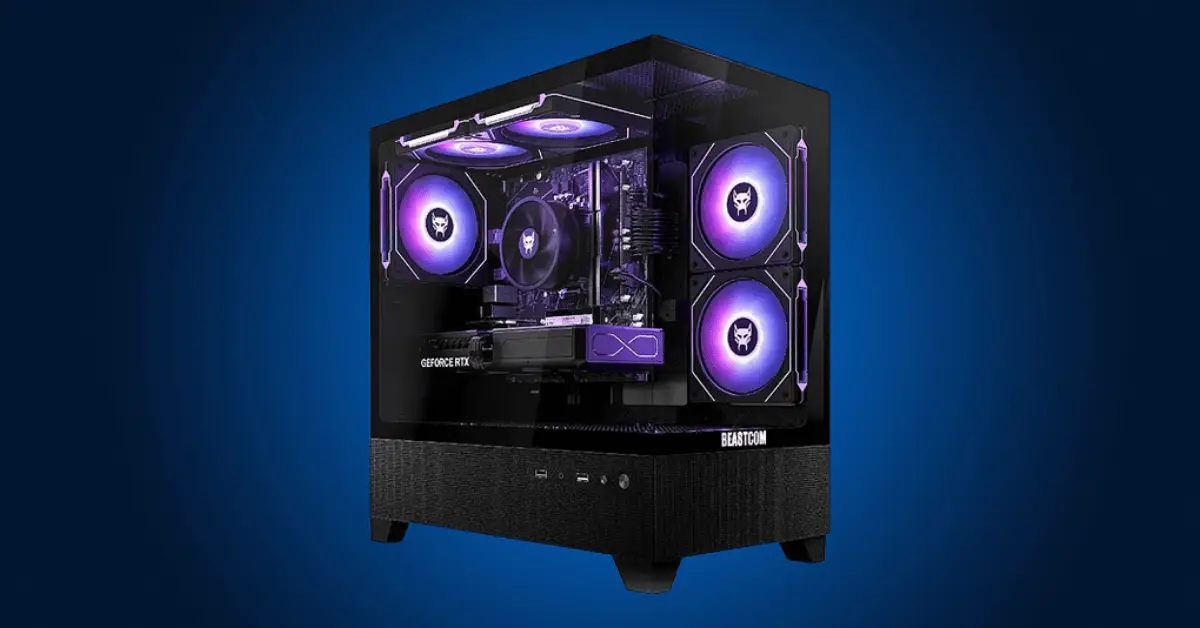
Nobody tells you the real number up front. You Google it, get twelve different answers, and end up more confused than when you started. So here it is straight: how much does it cost to build a gaming PC depends almost entirely on what you want to play and how you want it to look. From my experience helping friends put their first rigs together, the range runs from about $600 on the low end to well over $2,000 if you want zero compromises. Most people land somewhere in the middle, and that’s honestly the smart move.
The resolution you’re targeting is the single biggest cost driver. 1080p gaming is cheap to do well. 1440p gets pricier. 4K is where your wallet starts sweating. Once you lock that in, everything else falls into place.

The Budget Tiers at a Glance
| Tier | Budget Range | Target Performance | Best For |
|---|---|---|---|
| Entry Level | $500 – $700 | 1080p High, 60+ fps | Esports, casual gaming |
| Mid Range | $800 – $1,200 | 1080p Ultra or 1440p High | Most gamers, sweet spot |
| High End | $1,300 – $2,000 | 1440p 144Hz or entry 4K | Enthusiasts, future-proofing |
| Extreme | $2,000+ | 4K 60-120fps, maxed out | No-compromise builders |
GPU Budget Share by Tier (approximate spend on graphics card)
The GPU consistently eats 40-50% of your total build cost regardless of tier.
What Each Part Actually Costs You
Understanding how much does it cost to build a gaming PC means knowing where each dollar goes. I usually tell people to think of it like this: your GPU is the engine, everything else just keeps it running smoothly.
| Component | Budget Pick | Mid Range | High End | % of Build Budget |
|---|---|---|---|---|
| GPU | $150 – $250 | $350 – $450 | $700 – $1,000+ | 40 – 50% |
| CPU | $120 – $160 | $180 – $220 | $350 – $450 | 15 – 20% |
| Motherboard | $80 – $100 | $130 – $160 | $180 – $250 | 10 – 15% |
| RAM (16GB) | $45 – $60 | $70 – $90 | $100 – $140 | 6 – 8% |
| Storage (1TB NVMe) | $50 – $70 | $75 – $100 | $120 – $160 | 6 – 8% |
| PSU | $50 – $70 | $70 – $90 | $90 – $130 | 6 – 8% |
| Case | $40 – $60 | $60 – $90 | $80 – $120 | 5 – 8% |
The GPU rule is universal. I’ve noticed that builders who try to save money on their graphics card and throw it at a fancier case or faster RAM always regret it. Frame rates come from the GPU. Full stop.
Three Real Builds with Real Price Tags
$600 Build – 1080p Gaming Done Right
A Ryzen 5 5600 paired with an RX 6600 handles 1080p at high settings without breaking a sweat. Most players I know who game at this tier are shocked at how good modern games look on a budget like this. Esports titles like Valorant and CS2 push well past 100fps, and newer AAA games stay playable with minor settings adjustments. Total parts cost comes in around $610 when you’re smart about deals.
$1,000 Build – The Sweet Spot Most People Should Target
This is where the bang-for-buck ratio peaks. A Ryzen 5 7600 with an RTX 4060 Ti gives you 1440p gaming at high settings with 60 to 100fps depending on the title. You can check out a full guide to choosing the right GPU for your budget if you want to dig deeper into graphics card comparisons at this tier. For $1,000, you’re getting a machine that handles everything released today and has room to breathe for the next few years.
$1,600 Build – Serious 4K Territory
The Ryzen 7 7800X3D is genuinely one of the best gaming CPUs ever made, and pairing it with an RTX 4070 Ti Super gets you legitimate 4K 60fps in demanding games. Ray tracing becomes enjoyable rather than a slideshow. This is where how much would it cost to build a gaming PC starts becoming a “how much do you want to spend” question rather than a budget constraint.
Don’t Forget the Extras
| Extra | Budget Option | Mid Option | Premium Option |
|---|---|---|---|
| Windows License | ~$30 (OEM key) | $100 (retail) | $140 |
| Monitor 1080p | $100 – $150 | – | – |
| Monitor 1440p 144Hz | – | $250 – $350 | $400+ |
| Keyboard + Mouse | $30 – $50 | $80 – $120 | $150 – $250 |
| Headset | $40 – $60 | $80 – $120 | $150+ |
From my experience, most first-time builders forget Windows costs money until checkout. Don’t let that surprise you. And match your monitor to your PC. There’s no point building a 4K capable rig and gaming on a 1080p 60Hz screen you had from college.
How to Stretch Your Budget Without Killing Performance
Used parts are underrated. Last-gen flagship GPUs often cost less used than current mid-range cards new, and they frequently outperform them. I usually look at what the card was doing two years ago at its launch price versus what it costs now secondhand. The value gap is often massive. Just buy from sellers with return policies and you’re mostly fine.
Sales also do real work here. Black Friday and Prime Day deals can knock $100 to $300 off a GPU, which completely changes how much would it cost to build a gaming PC if you plan around them. Patience is legitimately a build strategy.
One thing I’ve noticed is that people obsess over RGB and tempered glass cases when that money should go into the GPU. A mesh-panel case with decent airflow does the same thermal job as an $150 showpiece. Put the saved cash where it generates actual fps.
Frequently asked questions
Is it cheaper to build my own gaming PC?
Usually yes, especially in the $800 to $1,500 range. Prebuilt PCs charge a premium for assembly and often cut corners on components like the PSU or storage to hit a price point. When you build yourself you control exactly where every dollar goes. The savings can be $100 to $300 compared to a prebuilt at the same performance level. Below $600 it gets more complicated because buying individual components sometimes costs more than clearance prebuilts, so it’s worth comparing both.
Is a $600 gaming PC good?
For 1080p gaming, absolutely. A well-built $600 system with something like an RX 6600 handles modern AAA titles at high settings around 60fps and pushes esports games well past 100fps. It’s not going to run everything at max settings with ray tracing on, but it’s a genuinely capable machine that most casual to mid-core gamers will be happy with for several years. The key is spending the money in the right place, meaning the GPU gets the lion’s share of the budget.
How many fps can a $700 PC run?
At 1080p you’re looking at 60fps in demanding titles like Cyberpunk 2077 at high settings, and 100 to 200fps in esports games depending on how competitive and optimized they are. A $700 build with a card like the RTX 4060 or RX 7600 is solid for 1080p and can even push some older or lighter games at 1440p. Frame rates vary a lot by game since some titles are far more demanding than others, but the general experience at this budget is smooth and enjoyable for most people.
Knowing how much does it cost to build a gaming PC is step one. Step two is picking your resolution target, setting your budget, and putting the most money into the GPU. Everything else is details. Build smart, buy on sale when you can, and don’t let anyone talk you into spending $200 on a case when your graphics card is what actually runs your games.

[…] change which GPU makes sense to buy. If you’re planning your whole system from scratch, figuring out your total budget first helps you allocate the right amount to each component without overspending on one […]
Thank you so much for taking the time to leave such a thoughtful comment
you’ve made a fantastic point, the GPU choice really does shift depending on your overall system plan and budget. It’s easy to fall into the trap of picking a GPU first and trying to fit everything else around it
we’ll definitely look into refining that section to make the GPU guidance clearer and more budget aware
Really appreciate it