Summary
- For most gaming builds, the Thermalright Peerless Assassin 120 SE at $35 delivers the best price-to-performance ratio available, competing with coolers priced two to three times higher and handling mid-range CPUs without thermal throttling during gaming.
- GamersNexus named the Sudokoo SK700 their Best Overall CPU Cooler for 2025, combining high build quality, seven 6mm heat pipes, a contact plate design, and strong thermal results in a compact 120mm fan footprint with wide case compatibility.
- The AMD Ryzen 7 9800X3D does not benefit meaningfully from liquid cooling because its 3D V-Cache IHS is the actual thermal bottleneck, meaning a $35 air cooler lands within 3 to 5 degrees of a $150 AIO on that specific chip.
- AIO liquid cooling earns its place in three specific scenarios: flagship CPUs sustaining 200W or more under combined gaming and streaming workloads, small form factor builds with limited case height clearance, and showcase builds where aesthetics drive the decision.
- The Arctic Liquid Freezer III Pro 360 at around $100 is the liquid cooler that justifies its price for high-wattage builds, while the ID-Cooling FX 360 Pro at $50 is the GamersNexus-awarded Best Budget AIO for builders who specifically want liquid cooling without the premium price.
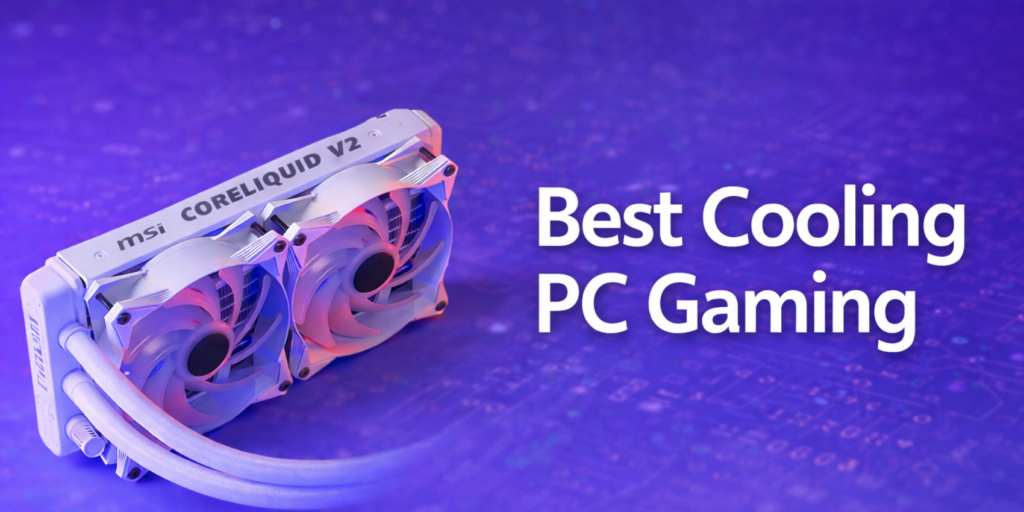
Every year someone asks me what the best cooling pc gaming setup looks like, and every year the honest answer is the same: it depends on your CPU, your case, and how much you want to spend. What changed in 2026 is that the gap between cheap and expensive coolers has narrowed to the point where spending more than $60 on air cooling is genuinely hard to justify for most gaming builds. At the same time, a handful of AIOs have gotten good enough that the liquid cooling conversation is worth having again for specific use cases.
This list covers ten coolers that earn their spot based on tested performance, not spec sheet marketing. From a $30 entry pick that handles everyday gaming CPUs without breaking a sweat, all the way up to a $180 showcase AIO with a live LCD display, every option here is something I’d actually recommend to someone building a gaming PC today.

What Actually Matters for Gaming Cooling
Before getting into the picks, it helps to understand why the metric that matters for cooling pc gaming specifically isn’t maximum sustainable wattage. Games spike your CPU in short bursts then settle down. Your CPU is almost never running at 100 percent load the way it would during video rendering or file compression. The cooler’s job is to absorb brief heat spikes without letting the CPU hit its thermal limit and reduce its clock speeds.
From my experience, this is where most people over-engineer their cooling. They see a $150 AIO and assume it must be meaningfully better than a $40 air cooler for gaming. In the vast majority of cases it isn’t, because the CPU never reaches the thermal ceiling that would reveal the difference. The scenario where liquid genuinely separates itself is sustained all-core workloads at 200W or more. That matters if you’re streaming while gaming on a flagship CPU, but not if you’re purely playing games.
The Top 10 Cooling PC Gaming Picks for 2026
The single most recommended cooler for gaming builds under $1,000. Dual-tower design with six heat pipes and two 120mm fans keeps mid-range CPUs like the Ryzen 5 9600X and Core Ultra 5 245K genuinely cold during gaming. I’ve pointed more friends toward this cooler than any other product in the past two years and none of them have had a complaint. At $35 it competes directly with coolers priced at $80 or more. For gaming workloads drawing under 125W it’s functionally unbeatable on value. If someone tells you to spend more than this for a mid-range gaming CPU, push back.
GamersNexus named this their Best Overall CPU Cooler for 2026, which carries weight because their testing accounts for thermals, acoustics, build quality, and value together. The SK700 runs a densely packed fin stack with seven 6mm heat pipes and a contact plate that genuinely improves cold plate pressure on modern sockets. Its 120mm fan keeps its footprint compact enough for strong case compatibility while trading blows with larger dual-tower designs on noise-normalized benchmarks. At 31.9 dBA under full load with a 60.9°C result on the 9800X3D, the numbers back up the award. The SK700V variant adds a small temperature display if that matters to you.
Two years running, the A720 is the cooler that makes enthusiasts double-check the price tag. It won Best Overall from GamersNexus in 2024 and holds the runner-up spot in 2026. On noise-normalized benchmarks with the 9800X3D at a 157W heat load it lands within 2 degrees of the SK700 at nearly the same price. If raw thermal performance per dollar is your only metric, this might actually top the list. The dual 140mm fan setup gives it a slightly larger footprint than the SK700 so check your case’s RAM clearance before ordering, but in a standard mid-tower it installs without issue.
Where the Peerless Assassin handles 65-125W CPUs brilliantly, the Phantom Spirit 120 EVO is the right step up for chips pushing 150W or more. Most players I know with a Ryzen 7 9700X or Core Ultra 7 265K end up with this cooler after a bit of research. Seven heat pipes, two 120mm fans, and build quality that surprises at this price. It’s also quieter than the spec sheet implies because Thermalright tunes its fan curves conservatively for daily gaming use rather than benchmarking maximum. If you want slightly more headroom than the PA 120 SE without jumping to a $100+ cooler, this is the pick.
If you’re building a first gaming PC around a Ryzen 5 9600X or Core Ultra 5 at stock settings, the Arctic Freezer 36 is genuinely all the cooling you need. Its dual-fan push-pull configuration with a revised airflow channel keeps 65W gaming CPUs cold and quiet, and at $30 it leaves meaningful budget for the GPU or storage. It’s not designed for chips drawing over 100W under load, but most entry gaming CPUs don’t reach that threshold during gameplay. The installation process is also one of the most straightforward on the market, which matters more than people admit on a first build.
The NH-D15 G2 is the best air cooler available on pure acoustic-adjusted thermal performance. GamersNexus awarded it Best Noise-Normalized Air in 2026, and it’s the only air cooler in their test suite capable of completing a 276W 9950X3D stress test without throttling. Its HBC and LBC cold plate variants are engineered specifically for socket deformation patterns on LGA1851 and AM5. The value argument is hard to make given what Thermalright offers at $35 to $60 for gaming-only workloads, but if long-term acoustic refinement matters deeply to you and you want a cooler that follows you across multiple builds with free mounting kit upgrades from Noctua, this is where the conversation ends.
GamersNexus gave this their Best Budget Liquid award for 2026, displacing the Thermalright Frozen Prism 360 that held the title for two years. At $50 for a 360mm AIO it’s hard to argue against if you specifically want liquid cooling and have a top radiator mount available in your case. It won’t beat the Arctic Liquid Freezer III in absolute performance, but it handles mid-to-high range gaming CPUs without issue at a price that leaves room for better storage or RAM. For builders who want the look of liquid cooling without the $100-plus commitment, this is the honest entry point.
The Liquid Freezer III Pro is the AIO you buy when you need genuine sustained cooling headroom, not just good gaming numbers. Its 38mm thick radiator and integrated VRM fan on the pump block make it uniquely suited for high-wattage CPUs running extended workloads. If you’re on a Core Ultra 9 285K and streaming simultaneously, this is the cooling pc gaming solution that earns its price. Tom’s Hardware and multiple independent reviewers consistently place it at or near the top of 360mm AIO thermal charts. Its industrial look is polarizing but its performance is not. For sustained workloads at 200W or more, nothing at this price does it better.
The Kraken Elite is where cooling decisions start including aesthetics as a genuine factor. Its IPS LCD pump head displays real-time CPU temperature, system stats, or custom images at 60fps, and its CAM software integration is the smoothest of any AIO on the market. Thermal performance handles flagship gaming CPUs without issue. It’s not the cold-plate efficiency leader, but it’s the cooler that makes a windowed build look finished rather than just functional. For the gamer who cares as much about how the build looks as how it performs, this is the honest pick. The software polish and display quality earn the premium over a generic RGB AIO at half the price.
The updated Tryx Panorama 360 earned Best Noise-Normalized Thermals for Liquid from GamersNexus in 2026, posting a 53.6°C over-ambient average on the 9800X3D at 157W. Its curved OLED display spanning the pump housing is unlike anything else at this price point aesthetically. The main caveat is performance on dual-CCD platforms like the 9950X3D where CCD thermal asymmetry affects averaged results. On single-CCD gaming CPUs including the 9800X3D, it’s as good as anything available. If you want the best noise-normalized liquid result and a genuinely striking visual in a windowed case, this earns the closing spot.
Quick Comparison: All 10 Picks at a Glance
| # | Cooler | Type | Price | Best For | Verdict |
|---|---|---|---|---|---|
| 1 | Thermalright PA 120 SE | Air | ~$35 | Most gaming builds | Best value |
| 2 | Sudokoo SK700 | Air | ~$60 | Mid-high CPUs, compact cases | Best overall |
| 3 | ID-Cooling A720 | Air | ~$55 | Raw gaming performance | Runner-up overall |
| 4 | Thermalright PS 120 EVO | Air | ~$50 | 125-150W CPUs | Solid mid-tier |
| 5 | Arctic Freezer 36 | Air | ~$30 | Entry 65W gaming CPUs | Best entry budget |
| 6 | Noctua NH-D15 G2 | Air | ~$150 | Silent / flagship builds | Premium pick |
| 7 | ID-Cooling FX 360 Pro | AIO | ~$50 | Budget liquid builds | Best budget AIO |
| 8 | Arctic LF III Pro 360 | AIO | ~$100 | 200W+ sustained loads | Top thermal AIO |
| 9 | NZXT Kraken Elite 360 | AIO | ~$180 | Showcase / windowed builds | Best aesthetic AIO |
| 10 | Tryx Panorama 360 | AIO | ~$160 | Single-CCD gaming CPUs | Best liquid thermals |
Which One Is Right for Your Build
Ten options is a lot, so here’s how to narrow it down quickly. The most important variable is your CPU’s heat output during gaming, not its maximum turbo power spec. A Ryzen 5 9600X draws around 65W gaming. A Ryzen 7 9800X3D draws around 120W. A Core Ultra 9 285K gaming while streaming can push 200W and above. Those three scenarios call for completely different cooling approaches and the price difference between what they actually need is substantial.
One thing I always mention when people compare these options for a first build: the cooler budget is almost always better spent on the GPU if you’re working within a fixed total. A $50 air cooler and a stronger GPU will outperform a $150 AIO with a weaker GPU every time, because frame rates come from the GPU not the cooler. The cooler’s job is to stay out of the way of your CPU, not to add performance on its own.
The takeaway on cooling pc gaming in 2026 is straightforward: most gamers building a system under $1,200 are better served by a $35 to $60 dual-tower air cooler than anything with liquid in it. If your CPU sustains over 200W under real workloads, you’re in a compact case that limits air tower height, or aesthetics genuinely matter to your build vision, a 360mm AIO earns its place. Every other scenario favors air for its simplicity, reliability, and what it leaves in your budget for parts that actually affect frame rates.
Frequently Asked Questions
What is the best cooling for a gaming PC in 2026?
For most gaming builds the Thermalright Peerless Assassin 120 SE at around $35 delivers the best combination of performance, reliability, and value. It handles mid-range CPUs like the Ryzen 5 9600X or Core Ultra 5 245K without thermal throttling during gaming and costs less than most GPU upgrades. If you have a high-wattage flagship CPU running simultaneous streaming workloads, the Arctic Liquid Freezer III Pro 360 at around $100 is the liquid option that genuinely earns its price.
Does a better CPU cooler improve gaming FPS?
Only if your current cooler is already causing the CPU to thermally throttle during gameplay. Throttling means the CPU is reducing its clock speed to stay within temperature limits, which can reduce frame rates in CPU-dependent games like Valorant or CS2. If your CPU is not throttling, upgrading from a mid-range cooler to a premium one will not improve FPS because the CPU is already running at its full boost clock. The money spent on a premium cooler beyond what your CPU actually needs is almost always better directed toward GPU, RAM, or faster storage.
Is a 360mm AIO always better than a 240mm for gaming?
Not for gaming specifically. A 240mm AIO handles most gaming CPUs drawing under 150W without issue, and the temperature difference between a 240mm and 360mm under gaming loads is often just 3 to 5 degrees, which has no real impact on performance or longevity. Where a 360mm earns its cost is in sustained all-core workloads: streaming while gaming on a flagship CPU, extended rendering, or encoding. For pure gaming on a mid-range system a 240mm is sufficient and leaves more room for front-panel intake fans, which can actually improve GPU temperatures as a side benefit.
What is the best budget CPU cooler for gaming in 2026?
The Thermalright Peerless Assassin 120 SE at around $35 is consistently the best value air cooler available. It’s a dual-tower design with six heat pipes and two 120mm fans that handles virtually every mid-range gaming CPU without thermal throttling, at a price that leaves budget for components that actually drive frame rates. If your total build budget is under $700 this is where your cooling spend should stop. The Arctic Freezer 36 at $30 is a solid step down if your CPU is in the 65W range and budget is the absolute priority.