You’re staring at your Steam library on a system that barely hits 45 fps in anything newer than 2019, and your wallet is telling you to be smart about this. Been there. The good news is that right now, you can actually get solid 1080p performance without selling a kidney, but the GPU market is still weird enough that picking the wrong card means leaving performance on the table or blowing your budget on features you’ll never use.
The real question isn’t just “what’s cheap” but “what gives me the most frames per dollar while still leaving room for the rest of my build.” After going through benchmarks and current pricing, three cards keep coming up as the actual smart picks for anyone building on $600 to $900 total.

The three cards that actually matter
If you’re shopping for the best budget GPU right now, you’re looking at the AMD RX 6600, the Nvidia RTX 2060, and the GTX 1660 Super. Everything else either costs too much or performs too little to make sense for 1080p gaming in 2026.
The RX 6600 is the performance leader here. It’s pushing around 116 fps average at 1080p high settings across modern AAA games. That’s roughly 30% faster than the RTX 2060, which sits at about 88 fps in the same tests. The GTX 1660 Super trails at around 71 fps, but it’s also the cheapest option by a fair margin.
What separates these isn’t just raw speed though. The RX 6600 packs 8 GB of VRAM on AMD’s RDNA 2 architecture with 1792 shaders and support for FSR upscaling. The RTX 2060 counters with 6 GB VRAM but brings DLSS and actual ray tracing cores, even if they’re not powerful enough to really use RT at 1080p without tanking your framerate. The GTX 1660 Super is older Turing silicon with 6 GB and 1408 shaders, no RT cores, no DLSS, but it runs cool and draws barely 125 watts.
In something like Forza Horizon 5 at 1080p high, the RX 6600 hits 138 fps while the RTX 2060 manages 101 fps. That gap widens in newer games that actually use the extra VRAM. The 1660 Super still gets you playable framerates in most stuff, but you’re definitely turning settings down in 2024-2025 releases.
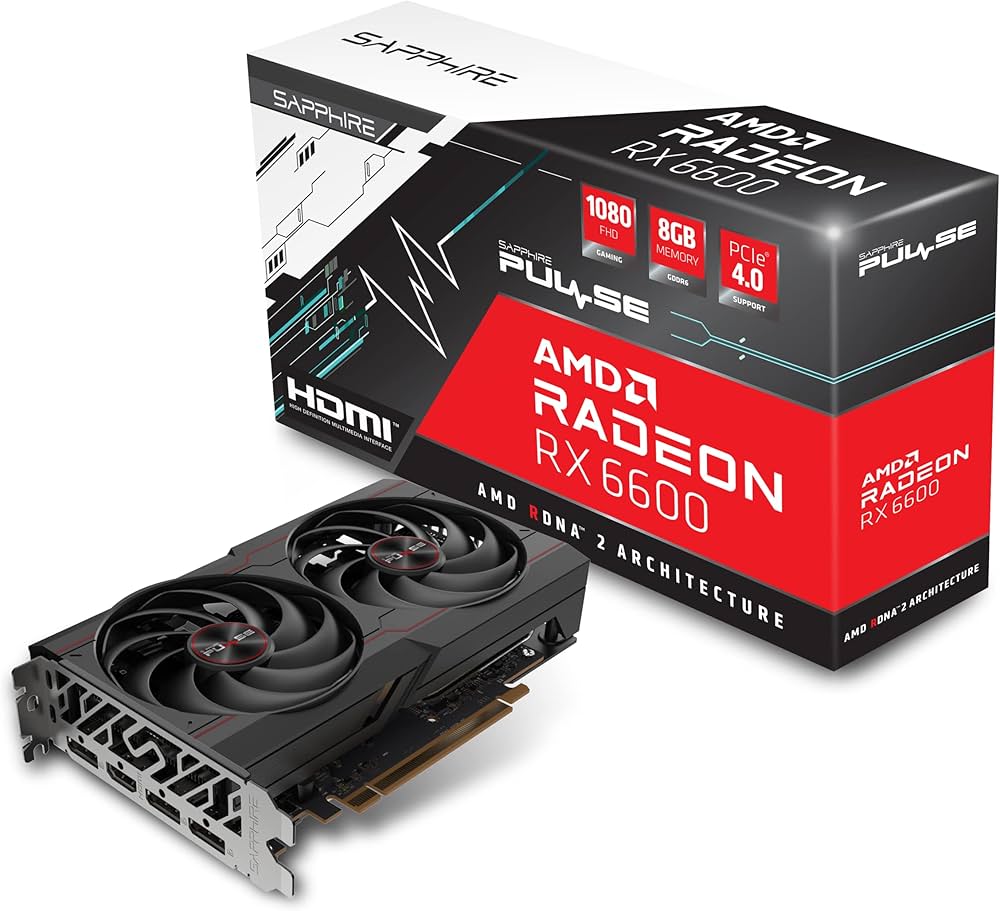
AMD RX 6600
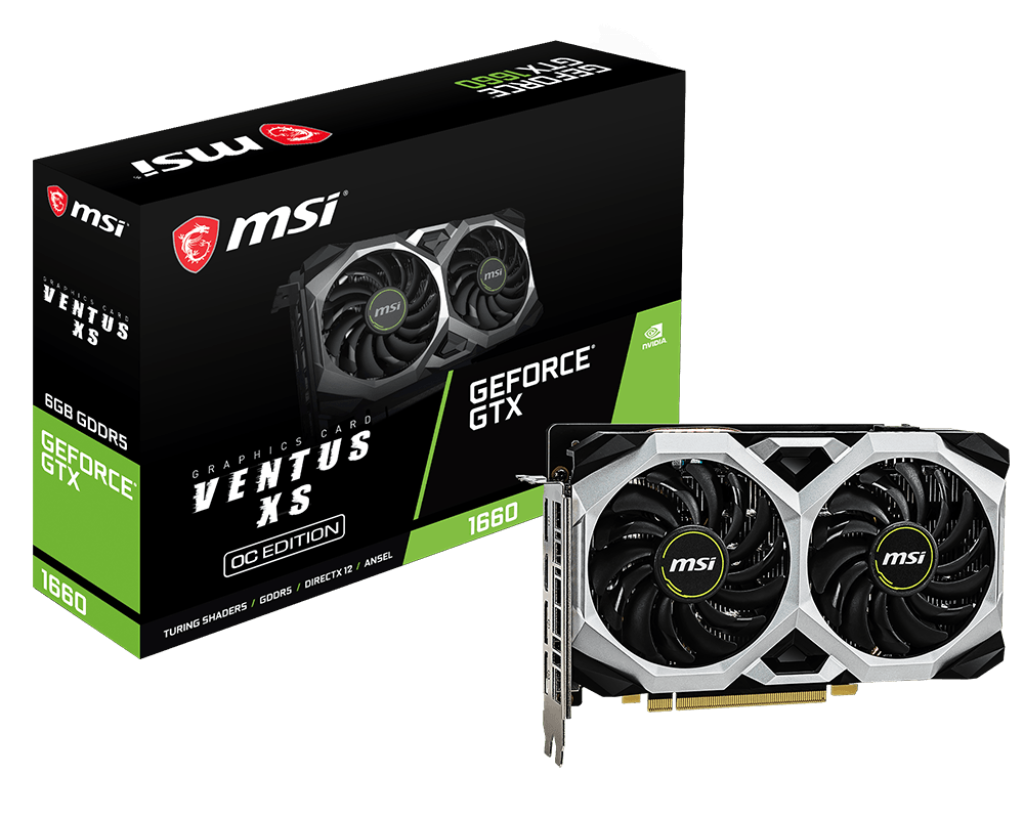
GTX 1660
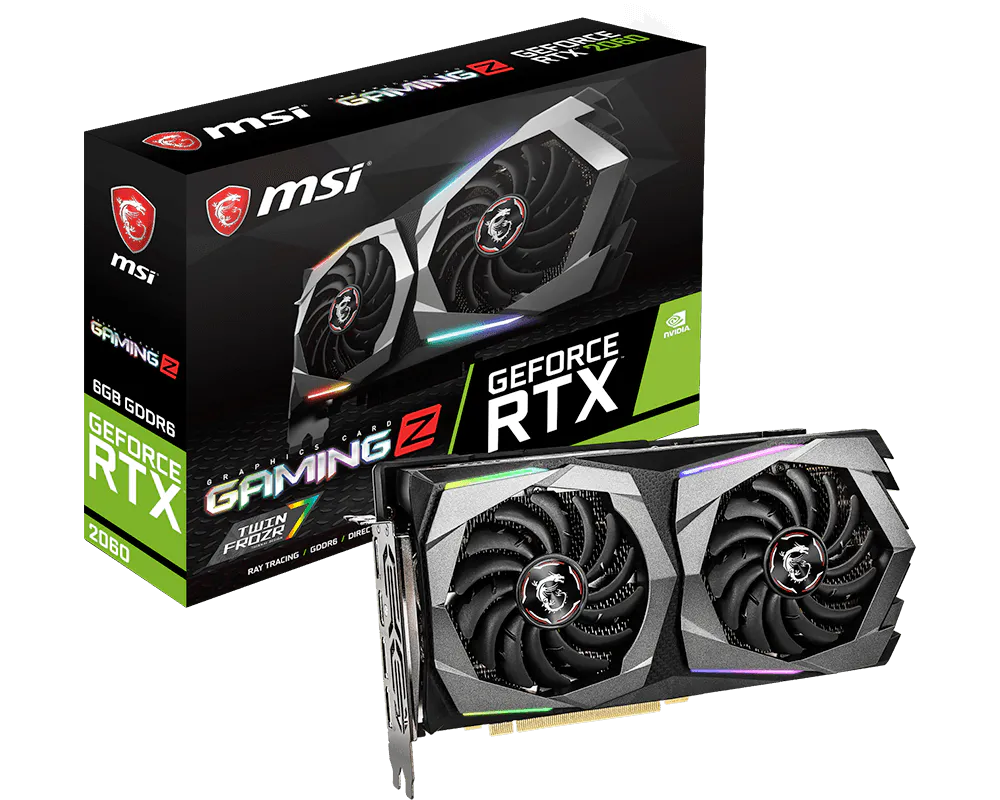
RTX 2060
What You’ll Actually Pay
Pricing is where this gets interesting, and honestly a bit frustrating. New RTX 2060 cards are still listed around $500 in some places, which is completely ridiculous for a card that’s several generations old. You can find refurbished units for $250 though, and that’s actually competitive. The RX 6600 typically runs $300 to $400 new, with used options dipping down to $230 if you hunt. The GTX 1660 Super is the budget king at $180 to $206 new, with refurbs around $170.
Here’s the value calculation that matters: the RX 6600 gives you 63% more performance than the 1660 Super for maybe 50-70% more money if you’re buying new. That’s actually pretty good scaling. The RTX 2060 sits awkwardly in the middle, only about 24% faster than the 1660 Super but often costing 40-50% more unless you find a good refurb deal.
The used market is definitely worth checking. A lightly used RX 6600 for $230 is probably the best budget GPU for gaming you can buy right now if you find one. Just stick to sellers with good ratings and make sure you can test it or return it. Newegg Refurbished and reputable eBay sellers are generally safe bets.
GPU prices are still elevated because of memory shortages hitting the whole industry, so don’t expect huge drops soon. That said, holiday sales and random flash deals do happen. Checking r/buildapcsales regularly can save you $30 to $50.
Making Sure Everything Else Fits
Buying the GPU is only half the battle. You need to make sure your system can actually use it properly.

Your CPU matters less than you think at 1080p. A Ryzen 5 3600, Ryzen 5 5600, Intel i5-10400F, or i5-12400F will all handle these GPUs fine without meaningful bottlenecks. At 1080p resolution, the graphics card is almost always your limiting factor, not the processor. You might see a couple fps difference between a 3600 and a 5600 in CPU-heavy games, but it won’t change which GPU makes sense to buy. If you’re planning your whole system from scratch, figuring out your total budget first helps you allocate the right amount to each component without overspending on one part.
Power supply is non-negotiable though. The GTX 1660 Super only pulls about 125 watts under full load, so a decent 500W unit works fine. The RTX 2060 and RX 6600 both draw around 160 watts, and you want a quality 550W PSU to give yourself headroom for the rest of your system plus power spikes. Don’t cheap out here with a generic white-label unit. Grab something 80+ Bronze or better from Corsair, EVGA, Seasonic, or similar. A crappy PSU can crash your system or worse.
Your monitor choice actually impacts which card makes the most sense. If you’re running a 1080p 60Hz panel, even the GTX 1660 Super will max that out in most games. But if you’ve got a 144Hz monitor or you’re planning to upgrade to one, the RX 6600 suddenly becomes way more appealing because it can actually feed those higher refresh rates. A solid 1080p 144Hz display costs around $130 to $160 right now. Look for something with FreeSync support, which all three of these GPUs can use to eliminate screen tearing.
Squeezing Out Every Frame
Once you’ve got your hardware installed, there’s still performance left on the table if you don’t optimize your setup.
Enabling XMP in your BIOS is probably the easiest fps boost you can get. If you’ve got 16 GB of DDR4 rated for 3200 MHz or 3600 MHz but you haven’t turned on XMP, your RAM is probably running at 2133 MHz and you’re losing a few percent performance. It takes two minutes in BIOS and can add 5-10 fps in CPU-limited scenarios.
Keeping your GPU drivers updated matters more than people think. Both Nvidia and AMD release game-ready drivers that include optimizations for new releases. updating your drivers and tweaking Windows 11 settings can genuinely add a few frames and reduce stuttering. Windows 11 game mode is generally fine to leave on, though some people prefer to disable it for more control.
Graphics settings in-game are where you really dial things in. On these mid-range cards, you’re not running everything maxed. Dropping shadow quality from ultra to high often saves 10-15 fps with almost no visual difference. Ambient occlusion can be another big hit for minimal gain. Anti-aliasing at 1080p doesn’t need to be cranked to max either. Start with high presets and turn down the settings that tank performance without adding much visually.
Upscaling tech is actually useful on budget hardware. If you’ve got the RTX 2060, DLSS in supported games can boost your framerate by 20-30% while keeping image quality pretty solid. The RX 6600 and GTX 1660 Super can use AMD’s FSR in games that support it, which isn’t quite as good as DLSS but still helps. Running FSR quality mode at 1080p can mean the difference between 60 fps and 80 fps in demanding titles.
Undervolting is something not enough people try, but it can seriously improve your experience. Basically, you’re reducing the voltage your GPU uses while maintaining the same clock speeds. This drops power consumption, lowers temperatures by 5-10 degrees, and makes your fans run quieter. It’s not risky if you do it carefully because GPUs have built-in protections. Use MSI Afterburner or AMD’s software and reduce voltage in small steps, testing stability after each change. You can often drop power by 10-15% with zero performance loss. Cooler and quieter is worth the 20 minutes it takes to dial in.
Mistakes Everyone Makes
Thinking 6 GB of VRAM is plenty for 1080p forever is optimistic. It works fine right now, but newer games with high-res texture packs can push past that. The RX 6600’s 8 GB gives you more breathing room as games continue getting more demanding. This is why it’s often the best GPU for the money even though it costs more than the 1660 Super.
Assuming your CPU will bottleneck at 1080p with a better GPU is usually wrong. The CPUs mentioned earlier are perfectly capable of feeding these cards. You’re GPU-limited at 1080p in almost every game that matters. Only in specific CPU-heavy titles might you see a small difference, and it’s never enough to justify buying a worse GPU.
Believing all 500W power supplies are the same is dangerous. Wattage on the label doesn’t tell you if it can actually deliver clean power under load or handle transient spikes. Spend the extra $20 for a known brand. Your whole system depends on it not dying.
Chasing the highest fps number without looking at frametime consistency is missing half the picture. A steady 80 fps with even frame pacing feels smoother than a spiky 100 fps with stutters. Tools like CapFrameX or the graphs in MSI Afterburner can show you if your frametimes are stable. That’s why you want good hardware and optimized settings, not just the biggest number.
Buying the absolute cheapest GPU you can find often backfires. Something like a GT 1030 or an ancient R9 380 will struggle hard with anything modern. It’s usually smarter to save an extra $50 and get a used GTX 1660 Super than to buy the bottom-of-the-barrel option new.
Making the Call
If you can swing $230 to $300 for a used or sale-priced RX 6600, that’s probably where you should land. You’re getting legitimately good 1080p performance that’ll handle new games on high settings for the next couple of years. The 8 GB of VRAM gives you room to grow, and the raw framerate advantage over the alternatives is real.
The GTX 1660 Super makes sense if you’re on an extremely tight budget or you’re only playing older games and esports titles. At $170 to $180, it’s cheap enough that you can put more money toward your CPU or a better monitor. Just know you’re buying a card that’s already showing its age in 2026, so you’ll be turning settings down sooner.
The RTX 2060 is the awkward middle child. If you can find a refurb for $250 or less and you really want DLSS, it’s defensible. But at normal pricing, the RX 6600 is usually faster for similar money. The only real reason to pick the 2060 is if you’re specifically playing a lot of games with great DLSS support or you want to mess with ray tracing occasionally, even though it’s not really fast enough to make RT enjoyable at 1080p.
The actual best budget GPU depends on what you find on sale and what your specific gaming priorities are. Performance per dollar favors the RX 6600 most of the time, raw cheapest playable gaming points to the 1660 Super, and the 2060 fills a niche for people who value Nvidia’s features over raw speed.
Whichever you pick, make sure you’re getting a quality PSU to run it, enable XMP on your RAM, keep your drivers current, and take 20 minutes to undervolt your card once it’s installed. Those free optimizations can add 10-15% more performance and make your system quieter and cooler. That’s the difference between good enough and actually enjoying your games.
Frequently Asked Questions
Which budget GPU gives the best performance per dollar in 2026?
The AMD RX 6600 typically offers the best performance per dollar right now, especially if you can find one used or on sale for around $230 to $280. You’re getting roughly 116 fps average at 1080p high settings, which is about 30% faster than the RTX 2060 and 63% faster than the GTX 1660 Super. The extra 2 GB of VRAM compared to those cards also means it handles texture-heavy games better and should age more gracefully over the next few years. That said, if you find a GTX 1660 Super for under $150, the raw cheapness can make sense if you’re primarily playing esports titles or older games where you don’t need cutting-edge performance. The key is comparing the actual street price you can get versus the framerate benchmarks, not just looking at MSRP.
Is the RTX 2060 worth buying over the RX 6600?
In most cases, no. The RX 6600 is simply faster in traditional rasterization performance, which is what you’re doing 95% of the time in games. The RTX 2060’s advantages are DLSS support and ray tracing cores, but here’s the reality check: at 1080p on a budget build, enabling ray tracing on a 2060 tanks your framerate so hard that it’s not really enjoyable. You’d need to use DLSS to recover performance, and even then you’re often still below 60 fps in demanding RT games. If you’re playing a lot of titles with excellent DLSS implementation and you value that AI upscaling tech, the 2060 becomes more interesting, especially if you find a refurbished unit for $250 or less. But for raw fps in regular gaming, the 6600 wins. The only time I’d recommend the 2060 over the 6600 is if they’re the same price and you specifically want Nvidia features.
Will a Ryzen 5 3600 or Intel i5-10400F bottleneck these GPUs?
Not in any meaningful way that should change your buying decision. At 1080p resolution, you’re almost always GPU-limited, not CPU-limited. The graphics card is working so hard to push all those pixels that your processor is just waiting around for it to finish. You might see a small difference in extremely CPU-heavy games like simulation titles or some esports games at low settings where you’re pushing 200+ fps, but that difference is usually only 5 to 10 fps between a 3600 and a newer 5600. For the kind of gaming Budget Builder Ben is doing, which is hitting 60 to 120 fps in AAA games at high settings, any of the CPUs mentioned will feed these GPUs just fine. The bottleneck is your graphics card, which is exactly what you want. If you already have a 3600 or 10400F, don’t let CPU anxiety stop you from getting a better GPU.
How much power supply wattage do I actually need?
The GTX 1660 Super is the most efficient of the three, pulling only about 125 watts under full gaming load. You can run that comfortably on a quality 500W power supply. The RTX 2060 and RX 6600 both draw around 160 watts under load, and when you add in your CPU, motherboard, RAM, storage, and fans, you’re looking at maybe 350 to 400 watts total system draw. A 550W PSU gives you comfortable headroom for power spikes and ensures the PSU isn’t running at maximum capacity all the time, which is better for longevity and efficiency. The critical word here is quality though. A cheap generic 600W unit with no 80+ rating is actually worse and less reliable than a Corsair CX550M or EVGA 550 B5 with 80+ Bronze certification. Those good units have better voltage regulation, cleaner power delivery, and protections that keep your expensive components safe. Budget $50 to $70 for a decent PSU and don’t gamble on saving $15 with a sketchy off-brand.
Is buying a used GPU risky or should I only buy new?
Buying used can be smart money if you’re careful about it. The GPUs we’re discussing aren’t ancient relics; they’re 2 to 4 years old, so a used unit that was well cared for should have plenty of life remaining. The key is vetting your source. Buy from platforms with buyer protection like eBay with good seller ratings, Newegg Refurbished, or local deals where you can test the card before handing over cash. Ask the seller if it was used for mining, though honestly, mining cards often ran undervolted and at consistent temperatures, which can actually be less stressful than gaming use with constant temperature swings. What you’re watching out for is physical damage, cards that artifact or crash under load, or sellers with sketchy return policies. A used RX 6600 for $230 is genuinely better value than a new GTX 1660 Super for $200 in terms of performance per dollar. Just make sure you can return it if something’s wrong, and test it thoroughly when you get it.
Can undervolting my GPU void the warranty or damage the card?
Undervolting won’t void your warranty because it’s a software modification, not a physical hardware change. You’re using tools like MSI Afterburner or AMD’s software to reduce the voltage the GPU uses while maintaining the same clock speeds. This is actually less stressful on the card than running it at stock settings because you’re lowering temperatures and power draw. The GPU has built-in safety protections, so if you reduce voltage too much, the worst that happens is the system crashes or you get visual artifacts, at which point you just reboot and dial the voltage back up a bit. There’s no permanent damage because the GPU will shut itself down before allowing anything catastrophic to happen. The process is pretty simple: drop voltage in small increments like 25 millivolts at a time, run a stress test or play a demanding game for 20 minutes to check stability, and keep going until you find the lowest stable voltage. Most people can drop 10 to 15% of their power consumption with zero performance loss, which translates to 5 to 10 degrees cooler temps and quieter fans.
Is 6 GB of VRAM enough for 1080p gaming or do I need 8 GB?
Right now in 2026, 6 GB still works for 1080p gaming at high settings in most titles, but it’s getting close to the limit. What happens when you run out of VRAM is that the game starts swapping textures to your system RAM, which is much slower, and you get stuttering and framerate drops. Newer games with high-resolution texture packs can push past 6 GB even at 1080p, especially if you’re maxing out texture quality settings. Games like Resident Evil 4 Remake, Hogwarts Legacy, and The Last of Us Part 1 can use 7 to 8 GB of VRAM at 1080p with textures on ultra. You can usually work around this by dropping texture settings one notch, but that’s the kind of compromise you’re accepting with 6 GB. The RX 6600 with 8 GB gives you more breathing room and means you won’t hit that wall for another year or two. If you’re planning to keep your GPU for 3 to 4 years, 8 GB is the safer bet. If you’re okay upgrading sooner or you don’t mind tweaking settings, 6 GB still gets the job done today.
What’s the best monitor to pair with these budget GPUs?
For the best budget GPU setup, you want a 1080p monitor with at least 144Hz refresh rate and adaptive sync support. Something in the 24 to 27 inch range with an IPS or VA panel works great. Monitors like the AOC 24G2 or Pixio PX248 run around $130 to $160 and give you that high refresh experience that makes games feel way smoother than 60Hz. The reason 144Hz matters is that the RX 6600 and RTX 2060 can actually push 90 to 120 fps in many games at high settings, so you’d be wasting performance on a 60Hz panel. Make sure the monitor supports FreeSync or G-Sync Compatible, which eliminates screen tearing when your framerate fluctuates. Nvidia cards work with FreeSync monitors through G-Sync Compatible mode, and AMD cards use FreeSync natively, so you’re covered either way. If your budget is really tight, even a 75Hz monitor is a massive upgrade over 60Hz and usually only costs $100 to $120, which might make sense if you’re putting more money into the GPU itself.
Should I turn on XMP for my RAM and does it actually help gaming performance?
Yes, absolutely enable XMP in your BIOS. XMP is a one-click setting that makes your RAM run at its rated speed instead of the default JEDEC standard, which is usually 2133 MHz. If you bought RAM rated for 3200 MHz or 3600 MHz but haven’t enabled XMP, you’re leaving performance on the table. The impact varies by game, but in CPU-limited scenarios you can see 5 to 10 fps improvement just from running your RAM at proper speed. Some games are more memory-sensitive than others, particularly open-world titles and games with lots of AI or physics calculations. The process is simple: restart your computer, enter BIOS (usually by pressing Delete or F2 during boot), find the XMP or DOCP setting (AMD boards call it DOCP), enable it, save and exit. Your system will reboot with RAM running at full speed. It’s one of those free performance upgrades that takes two minutes and actually makes a measurable difference.
How long will a budget GPU last before I need to upgrade again?
The RX 6600 should handle 1080p gaming at medium to high settings for about 3 to 4 years before you start feeling like it’s holding you back. The RTX 2060 is in a similar boat, maybe slightly less longevity since it only has 6 GB VRAM. The GTX 1660 Super is already 4+ years old at this point, so you’re looking at maybe 2 to 3 years before newer games force you to low settings or struggle to hit 60 fps. How long your card lasts also depends on your expectations. If you’re fine with 60 fps on medium settings in future games, any of these cards will last longer. If you want to maintain 100+ fps on high settings, you’ll feel the need to upgrade sooner. The nice thing about building a balanced system with a decent CPU and PSU is that when you do upgrade, you can just swap the GPU and keep everything else. That’s why getting a 550W power supply now gives you room to move up to something like an RTX 4060 or RX 7600 down the line without changing anything else.
Do I need to update my motherboard BIOS before installing a new GPU?
Probably not, but it’s worth checking. modern motherboards from the last few years (B450, B550, X570 for AMD or B460, B560, Z490 for Intel) will recognize these GPUs without any BIOS update needed. the main time you’d need a BIOS update is if you have a much older board trying to use a brand new GPU, or if there’s a compatibility issue with PCIe lanes, which is rare. if you boot up after installing your new GPU and get no display output, that’s when you’d check your motherboard manufacturer’s website for BIOS updates. but most of the time, you just plug the card in, connect the power cables, boot up, install drivers, and you’re good to go. the bigger driver concern is making sure you cleanly remove old GPU drivers if you’re switching between AMD and Nvidia. use Display Driver Uninstaller in safe mode to wipe out the old drivers completely, then install fresh drivers for your new card. this prevents conflicts and weird stability issues.