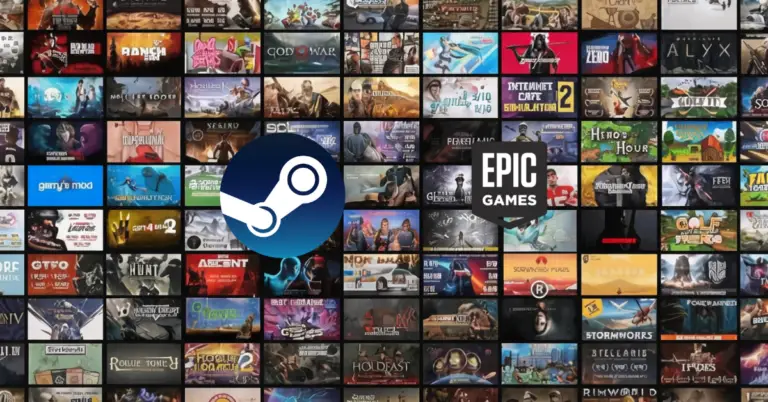
Most PC gamers end up with the same messy setup. One launcher for a free giveaway, another for a single exclusive, a third because friends play there, plus a folder full of shortcuts that don’t explain where anything actually lives. It works until it doesn’t. The first time a login breaks, a save file vanishes, or a download eats your drive space, the platform choice stops feeling like a minor detail.
The best way to simplify this whole situation is to treat platforms like travel hubs. Some are built for speed and convenience. Some are built for ownership and longevity. Some are built around deals, subscriptions, or perks. And lately, cloud gaming has started behaving like its own kind of platform because it changes where your games run and how you access them.
The goal isn’t picking a single winner for everyone. The goal is building a setup that matches how you play, how often you upgrade, and how much friction you’re willing to accept.
If you want the broader platform context before deciding, this cloud computer for gaming platform guide ties the options together.
What actually counts as a PC gaming platform
Most people say platform when they mean store. That’s only one piece. A PC gaming platform is an ecosystem connecting your account, library, downloads, saves, and usually social features. Two stores can sell the same game yet feel completely different once you live inside them for months.
The five building blocks that shape daily experience
The Store
Where you buy a license. It might be inside an app, on a website, or both. What matters isn’t only price but regional availability, refund rules, payment options, and checkout transparency. A store that makes it easy to understand what you’re buying saves you from surprises later.
The Client or launcher
Software on your PC handling authentication, downloads, updates, and launching. Some clients feel light. Some feel heavy. The difference shows up when you boot your PC and want to play in two minutes. It also shows up moving games between drives or troubleshooting stuck patches.
People use launcher and client interchangeably. Launcher is the part that launches games. Client is the full app including store, library, friends, settings, and support tools.
The account and identity layer
Your account is the key to everything. It holds your library, cloud saves, friends list, purchase history, and sometimes mods or workshop subscriptions. This is why security matters more than most gamers admit. Two-factor authentication isn’t nice to have when your library is worth hundreds or thousands of dollars.
The library
Not just a list of games. It’s the long-term contract you’re accepting. How portable is it? What happens if you lose access for a week? Can you install offline? Can you keep backups? Can you move games across drives without redownloading? If you switch hardware often or travel with a laptop, the library experience becomes central to your setup.
The services layer
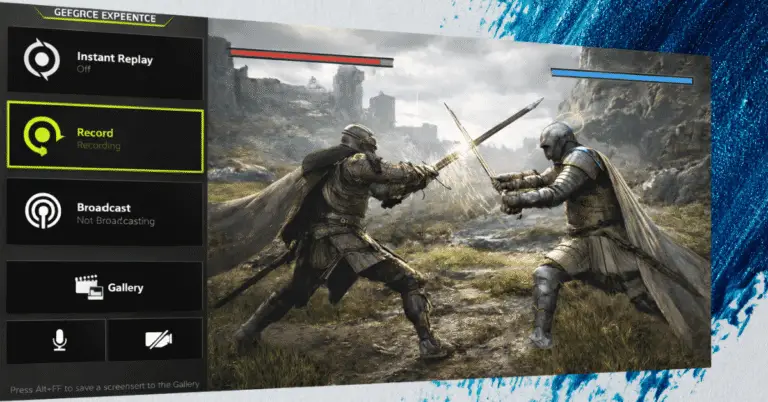
Where platforms diverge most. Cloud saves, social features, overlays, achievements, streaming tools, family sharing, mod support, cross-platform linking. These services can help but can also add friction. An overlay working perfectly for one game can cause stutters in another. Cloud save systems prevent lost progress but can create conflicts if syncing is handled poorly.
Why this matters more than Iit used to
Ten years ago, you bought a game, installed it, and kept it running forever. Today, games update constantly. Multiplayer titles rely on live services. Anti-cheat systems can be sensitive to overlays. Storage splits across fast SSDs and larger drives. And cloud gaming introduces a new reality where your PC might not be the machine under your desk.
When platforms become the glue keeping everything together, their weak points become your problems. That’s why it’s worth choosing a primary home base instead of drifting into a pile of accounts.
Platform sprawl is real and annoying
Some gamers try avoiding the whole debate by using every platform equally. Sounds flexible. In practice, it creates small daily costs that add up.
- You forget which platform holds which game.
- You waste time reinstalling clients after fresh Windows setups.
- You miss refunds because you bought on the wrong store and didn’t notice.
- You lose track of subscriptions or linked accounts.
- You end up updating multiple launchers for a single evening of play.
There’s a cleaner approach that works for most people.
Pick one platform as default
Where you buy games you expect to replay. Where you keep your core library. Where you invest time in settings, friends, and organization.
Use secondary platforms with purpose
One for exclusives or specific publishers. Another for DRM-free ownership. Another for deals. Keep the system intentional.
The feature checklist that decides comfort
Want to evaluate any PC gaming platform quickly? These questions reveal the truth.
- Does it handle cloud saves reliably? Cloud saves should be predictable. Best systems show when a save was last synced and warn about conflicts. If the platform hides syncing behind vague icons, it’s harder to trust when moving between machines.
- Does it manage storage properly? Look for simple library management. Multiple install locations, moving games between drives, verifying files, resuming downloads properly. If your SSD is reserved for competitive games, you should relocate single-player titles without drama.
- Are refunds clear and realistic? Refund policies vary by region and store. A platform communicating rules cleanly reduces regret purchases. Even if you rarely refund, the clarity shows overall maturity.
- How heavy is the client? A heavy client isn’t automatically bad but should earn its footprint. If it uses lots of resources while offering little value, it’ll annoy you over time. Matters even more on mid-range rigs or handheld PCs.
- How safe is the account? Two-factor authentication should be easy to enable. Password and device management should be clear. Account recovery should feel real, not like a form disappearing into the void.
Where cloud gaming fits into the definition
Cloud gaming blurs the traditional platform idea. The store and account might still be Steam, Epic, or GOG. But the machine running the game is remote. That changes what matters.
You care more about login friction because you might sign in often. You care more about cloud saves because local storage isn’t the point. You care more about controller support and display settings because streaming adds its own layer. You care more about platform stability because small outages mean you can’t play at all.
That’s why platform choice and cloud choice aren’t separate decisions anymore. They overlap.
Cloud gaming services like GeForce Now, Xbox Cloud, or Shadow essentially become their own platform layer sitting on top of your existing stores. You still buy from Steam or Epic, but you’re playing through a streaming interface that has its own quirks and requirements.
Treating platform as the full experience
The most useful step is simple – treat platform as the full experience from purchase to play session, not as a logo on a desktop shortcut.
Once you do that, it becomes way easier to compare Steam-style ecosystems, deal-driven stores, DRM-free libraries, subscription hubs, and cloud PC services without getting lost.
Your main platform should fade into the background and just work. If you’re constantly fighting with launchers, hunting for where you bought something, or dealing with broken sync, you’ve picked wrong.
Secondary platforms are fine for specific reasons – grabbing an exclusive, supporting DRM-free gaming, catching a crazy deal. But spreading yourself across six ecosystems with no plan just creates friction you don’t need.
Pick your home base. Keep exceptions intentional. Let everything else fade away. Your time gaming is more valuable than time managing launchers.