Buying used PC parts right now isn’t just a budget move. It’s the only realistic path to high-end gaming performance for most builders in 2026. RAM that cost $80 two years ago now pushes $300 or more. Mid-range GPUs launch at what used to be flagship prices. If you know which used PC parts are safe to buy, which to skip, and how to properly test what you’re getting, you can build something genuinely impressive for a fraction of what the retail market is asking.
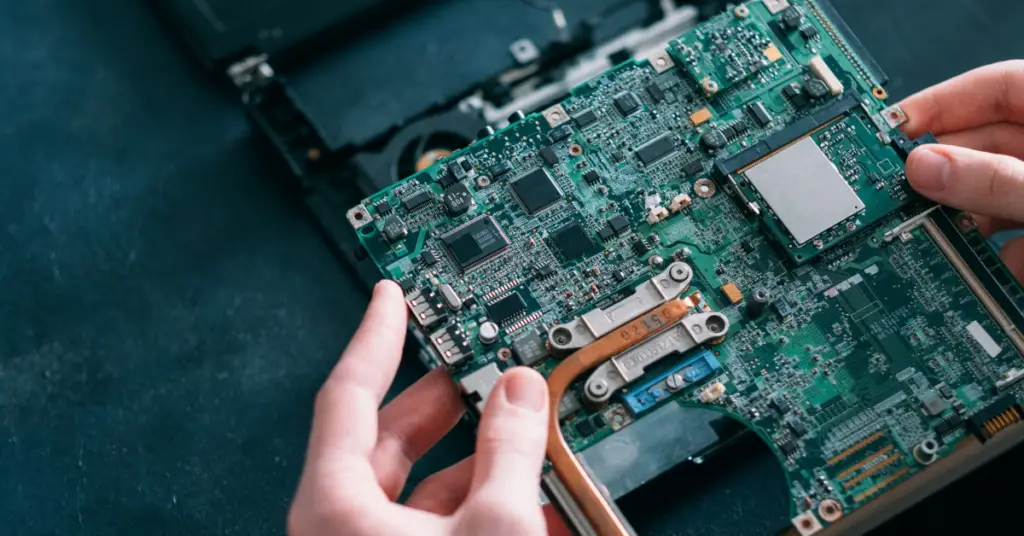
I’ve been tracking the secondary hardware market for over a year and from my experience the stigma around second-hand components has almost completely evaporated. Used doesn’t mean sketchy anymore. It means buying smart in a market that’s been turned upside down by AI infrastructure demand and manufacturer decisions that have nothing to do with gamers. This guide covers everything: which parts to buy used, where to find them, and how to verify them before you commit.
If you’re still working out your total budget from scratch, check our gaming PC cost breakdown first, then come back here to stretch that money further with a smart second-hand strategy.
Why Used PC Parts Are a 2026 Necessity, Not Just a Bargain Hunt
The hardware market in 2026 is genuinely broken for regular gamers. Samsung, SK Hynix, and Micron have redirected over 60% of their memory production to AI data center contracts, causing a supply squeeze that’s made DDR5 RAM brutally expensive at retail. A 32GB kit that cost around $100 in mid-2024 now regularly sits at $300 to $400. Then Micron shut down its Crucial consumer brand entirely in late 2025 after nearly 30 years, removing one of the most reliable value-oriented memory options from store shelves.
On the GPU side, Nvidia and AMD reportedly cut gaming graphics card production by 30 to 40% to redirect manufacturing capacity toward AI accelerators. The result is a card like the RTX 5060 launching at price points that used to put you in high-end territory. The traditional $500 entry-level build now costs closer to $700 in all-new components for comparable performance to two years ago.
That context is why used PC parts have shifted from enthusiast territory to mainstream strategy. Most builders I know who completed rigs in the past year went hybrid naturally: used CPU and GPU for the performance, new PSU and storage for reliability. It works because it respects how different components actually age, and it can save you $300 to $500 on a mid-range build without sacrificing real-world gaming performance.
Based on 2026 market analysis and community pricing research. GPU constraints per reported Nvidia/AMD production reallocation toward AI accelerators.
Which Used PC Parts Are Safe to Buy (And Which to Avoid)
Not all components age the same way. Solid-state parts with no moving elements are nearly immune to mechanical wear. Parts with moving components, chemical wear items like capacitors, or finite write cycles carry real failure risk over time. That single distinction tells you almost everything you need to know about where to spend and where to be careful when shopping for used PC parts.
CPU
Safest used purchase available. No moving parts, very low failure rate.
RAM
Nearly as reliable as a CPU. Many kits carry transferable lifetime warranties.
Case & Cooler
Cosmetic wear is fine. Just verify all hardware and mounting brackets are included.
GPU
Best savings potential but needs proper stress testing before you commit.
Motherboard
Can be fine, but hidden defects like dead DIMM slots are hard to spot.
PSU & SSD
Never buy these used. A failing PSU can take your whole build with it.
CPU: The Safest Used PC Part You Can Buy
CPUs are the easiest call in the used PC parts market. No moving parts, built-in thermal throttling that prevents self-damage, and almost zero mechanical wear under normal operation. A processor that posts and runs stable is almost certainly going to stay that way. The only realistic failure mode is physical damage to pins or contact pads on the chip itself, which you can inspect before installation with nothing more than a smartphone camera.
In 2026 specifically, used Zen 3 chips on AM4 are exceptional value. A Ryzen 5 5600X at around $90 second-hand gives you strong gaming performance, and staying on the AM4 platform means you can run DDR4 RAM. That single platform decision saves $200 to $300 compared to a new AM5 build at current DDR5 pricing. Most budget builds I’ve seen get far more out of that $200 by spending it on a better GPU than by paying the DDR5 premium for frame rate improvements that rarely exceed 5%.
RAM: Almost as Reliable, and DDR4 Is Your Best Move Right Now
Used RAM is nearly as safe as a used CPU, and it’s one of the most impactful places to save money given current DDR5 pricing. A 32GB DDR4-3600 kit can be found second-hand for $60 to $80. The DDR5 equivalent runs $300 to $400 new. For 1080p and most 1440p gaming, the real-world performance difference between those two options is well under 5% in most titles. The price difference is enormous. The impact on gaming isn’t.
Many used DDR4 kits still carry transferable lifetime warranties from G.Skill or Corsair, which takes the edge off any hesitation. Run MemTest86 when you receive it, verify capacity and speed match what was advertised, and you’re good. It’s one of the lower-risk categories in the used PC parts market and one of the higher-reward ones given 2026 pricing.
GPU: Where Used PC Parts Shopping Makes the Biggest Difference
Graphics cards are where buying used PC parts makes the most dramatic financial impact. A used RTX 3080 for $300 versus $500 or more for a new mid-range alternative isn’t a minor saving. That’s a completely different tier of 1440p performance for the same money. With new GPU prices pushed up by the AI-driven production cuts, the gap between used and new value has genuinely never been wider.
The fear around mining cards has calmed down a lot. Research consistently shows that steady-state mining with an undervolted card puts less stress on hardware than gaming does, because gaming creates rapid thermal cycling as scene complexity changes. The real risk with used 30-series and 6000-series cards is dried thermal paste and degraded thermal pads on high-VRAM models like the RTX 3080 and 3090. These cards ran hot from launch. If they’ve never had fresh thermal material applied, the hot spot temperatures will tell you. Not a dealbreaker, but factor in the cost of a repaste and run a proper stress test before finalizing any purchase.
| Used GPU | Value Proposition 2026 | Target Used Price | Best For |
|---|---|---|---|
| RTX 3080 10GB | Best overall 1440p value on the used market | ~$300 | High 1440p |
| RX 6800 XT 16GB | Best VRAM per dollar currently available used | ~$275 | High 1440p |
| RTX 3060 Ti 8GB | Excellent esports and 1080p value | ~$180 | 1080p High |
| RTX 2080 Ti 11GB | Budget entry point into 1440p gaming | ~$200 | Mid 1440p |
| RTX 3090 24GB | Best pick for 4K or local AI/LLM workloads | ~$850 | 4K / AI |
PSU: The One Used PC Part You Should Never Buy
Power supplies are non-negotiable. A PSU’s capacitors degrade over time as the liquid electrolyte slowly evaporates from thermal stress. You have no idea how many hours are on that unit, whether it survived a power surge, or how hard a previous owner pushed it. When a PSU fails it doesn’t just shut off cleanly. It can take your motherboard, GPU, and CPU with it simultaneously.
A solid 80 Plus Bronze 650W unit from a real brand costs $50 to $70 new with a full warranty. That’s not where you save $20 and gamble the rest of your build on it. Buy new, buy a reputable brand, and spend the savings on components where they actually make a gaming difference.
SSD: Also Buy New. The Math Makes It Easy.
SSDs have finite write cycles before NAND flash starts degrading. You can check drive health with CrystalDiskInfo but SMART data can be cleared by sellers. A drive with under 80% remaining health can cause instability in modern games that rely on DirectStorage. A 1TB Gen4 NVMe drive costs around $70 new right now. The savings on a used drive simply aren’t worth the risk of losing your game library and OS mid-session.
Where to Buy Used PC Parts in 2026
Where you shop for used PC parts determines both the price you pay and how protected you are if something goes wrong. Most first-time buyers default to eBay without realizing how seller fees inflate prices, or they go straight to Facebook Marketplace and skip testing entirely. Understanding each platform saves you money and headaches.
| Marketplace | Buyer Protection | Price Level | Best Used For |
|---|---|---|---|
| eBay | High | Higher (fees baked in) | GPUs, motherboards |
| Mercari | Moderate | Mid (3.6% buyer fee) | CPUs, RAM kits |
| r/hardwareswap | High | Fair market value | Component bundles |
| Facebook Marketplace | None | Lowest (no fees) | Cases, coolers, monitors |
eBay remains the strongest protection option. The Money Back Guarantee is nearly bulletproof for buyers. The downside is sellers factor their 13 to 15% final value fees into listing prices, so you’re paying a premium for that protection. Worth it for expensive components like GPUs where you want recourse if something arrives dead.
Mercari has become a solid second-hand marketplace for mid-range hardware. Their 72-hour escrow window means you receive the part, verify it works, and only then confirm the purchase. That’s meaningful protection that most platforms don’t offer. Watch for shipping charges that quietly add $20 to $30 on top of what looks like a good deal.
r/hardwareswap is where serious enthusiasts trade second-hand hardware. Every listing requires a timestamp photo with your Reddit username and date written in the shot, and a community feedback bot tracks confirmed trades for accountability. Transactions use PayPal Goods and Services for fraud protection without eBay-level markups. The community calls out price gouging. You do need an established Reddit account, but it’s the best balance of price and protection for used PC parts.
Facebook Marketplace works only for local in-person pickups of low-risk items. Cases, air coolers, monitors. Never buy a GPU or motherboard here without physically testing it first. There is zero recourse if it arrives dead.
How to Test Used PC Parts Before You Pay
Testing is your only real protection when buying second-hand hardware. A component that looks clean in photos can still have problems that only appear under load. Most people who’ve gotten burned on used PC parts did one thing wrong: they skipped the verification step. None of this requires a dedicated test bench. Free software and about 30 minutes is all you need.
Run Heaven benchmark or 3DMark for at least 15 minutes. Watch for visual artifacts like green or purple squares, crashes, or black screens. In GPU-Z, check the gap between GPU Core temp and Hot Spot temp. A delta over 25°C usually signals dried thermal paste. Manually spin the fans to 100% in MSI Afterburner and listen for grinding or bearing rattle. Also test every display output, since dead ports are a common reason sellers list cards.
Verify the CPU posts and boots into Windows cleanly. Run Cinebench 2026 or Prime95 for 30 minutes and check that temperatures stay in a reasonable range under full load. For AM4 chips, inspect the pins visually before seating. One bent pin can cause memory channel failure or PCIe lane degradation without showing up immediately after first boot.
Run MemTest86 from a bootable USB or use Windows Memory Diagnostic. Test each stick individually to catch single-stick failures that the full kit might mask. Verify speed and capacity match what the seller listed. If testing on a used motherboard at the same time, check each DIMM slot separately. Dead slots are one of the most common hidden defects in second-hand boards.
Open CrystalDiskInfo the moment any used drive arrives. Check the overall health status and remaining life percentage. Below 80% is a yellow flag. Look at the SMART data for reallocated sectors or pending uncorrectable sectors. Either showing a non-zero value is a reason to return the drive regardless of how it currently boots.
Inspect the CPU socket closely with a smartphone camera or jeweler’s loupe. Test every RAM slot individually. Use GPU-Z to verify the board runs your GPU at the correct PCIe link speed. A board with damaged traces may silently run at x4 instead of x16. Run a Cinebench loop and monitor VRM temperatures. VRMs hitting over 100°C on a stock CPU suggest a history of heavy overclocking and potential near-failure.
Smart Hybrid Builds Using Used PC Parts in 2026
The most efficient approach right now is a calculated split: new parts where failure is expensive or takes other components with it, used PC parts where reliability is high and the savings are real. Most successful budget builds I’ve seen this past year followed this structure without overthinking it.
Budget Build Strategy: Target Around $668
This is the path to smooth 1080p gaming using used PC parts strategically. Anchor the whole build on AM4 to dodge the DDR5 premium. Used Ryzen 5 5600X for around $90, used ASRock B550 motherboard for $70, used 16GB DDR4-3600 kit for about $40. New 650W PSU at $60 and new 1TB NVMe SSD at $70. Then spend the remaining budget on the best used GPU available. A used RX 6600 XT or Intel Arc B570 at $180 to $200 delivers comfortable 1080p high settings in modern titles.
Mid-Range Strategy: Target Around $1,200 to $1,500
Here you’re targeting 1440p at high refresh. A Ryzen 5 9600X on a new or used B650 board paired with a used RTX 3080 or RX 6800 XT gives you genuine high-end 1440p performance. New storage and PSU are non-negotiable at this budget. If you can find a retailer bundle that includes a free PSU or RAM kit with a new GPU, that’s worth jumping on. Newegg and Micro Center have been running these bundles to clear stock.
Zero-Risk Option: Manufacturer Refurbished GPU
If buying used PC parts without a warranty makes you uncomfortable, certified refurbished graphics cards are the practical middle ground. ASUS, Zotac, and other AIB partners sell refurbished 30-series and 40-series cards at 15 to 20% below MSRP with a limited warranty. You get used-adjacent pricing with new-adjacent protection. The cleanest option for a first builder who doesn’t want to run stress tests.
Go Used When…
- Budget is tight and GPU tier matters most
- You’re building on AM4/DDR4 to avoid the DDR5 premium
- You can run 30 minutes of verification tests first
- You’re upgrading one component on an existing system
- Used price is 30% or more below current retail
Go New When…
- It’s the PSU. Every single time, no exceptions.
- It’s storage. New prices make the risk not worth it.
- You can’t test before buying and there’s no return window
- Used price is within 15% of new retail (not worth it)
- You need full warranty coverage for peace of mind
Warranty and Risk Tiers for Used PC Parts
Not all second-hand hardware carries the same risk. The refurbished market has matured significantly and there are clear tiers between “brand new in box” and “random Facebook listing.” Where your purchase falls on this spectrum should directly influence how much testing you do and what price premium or discount is appropriate.
| Source | Warranty Coverage | Price vs MSRP | Risk Level |
|---|---|---|---|
| New Retail | 3-10 Years | 100% | Zero |
| Manufacturer Refurbished | 90 Days – 1 Year | 80-85% | Very Low |
| Retail Open Box | Full (usually) | 85-90% | Low |
| eBay (Top Rated Seller) | 30-Day Return | 70-75% | Moderate |
| r/hardwareswap | Community + PayPal G&S | 65-75% | Moderate |
| Facebook Marketplace | None | 50-60% | High |
When to Shop for the Best Used PC Parts Deals
The used market has seasonal pricing patterns worth knowing. Prices drop most sharply right after major GPU launches because owners flood the market trying to sell their current cards before values drop further. The weeks following an RTX 5000 or RDNA 4 series announcement are typically the best window to pick up used 30-series or 6000-series AMD cards at a real discount.
Post-holiday January is another reliable window. People sell Christmas gifts they didn’t want, upgrade systems with holiday money, and flip old hardware to fund new purchases. I usually see 10 to 15% price drops on used GPUs in the first two weeks of January compared to December highs. Summer is also decent as enthusiasts upgrade before fall game releases.
Platform bundles are worth hunting too. A seller moving a CPU, motherboard, and RAM all at once often prices the whole package lower than each part would fetch individually just to move everything in one transaction. Always verify compatibility before committing to a bundle, but the savings can be significant.
The rule is simple. Buy used PC parts where failure risk is low and easy to verify. Buy new where failure is expensive or takes other components with it. CPUs and RAM barely ever fail, so second-hand is almost always the right call there. PSUs and storage can fail catastrophically, so new is non-negotiable. GPUs sit in the middle: the savings are real and the value gap has never been wider, but the testing step is not optional. Get that part right and the used market opens up far more gaming performance per dollar than the current retail environment has any right to offer you.
Frequently Asked Questions
Is it safe to buy a used GPU in 2026?
Yes, with the right testing. Used GPUs from the RTX 30-series and RX 6000-series era are generally reliable. The main risk is dried thermal paste on high-TDP cards, which causes high hot spot temperatures. Run a stress test for at least 15 minutes, check the hot spot delta in GPU-Z, and listen for fan bearing noise before committing.
Which PC parts should you never buy used?
Power supplies and SSDs. A PSU’s capacitors degrade with age and a failing unit can damage everything else in your system. SSDs have finite write cycles and hidden wear that’s hard to verify. Both are cheap enough new that the savings on used aren’t worth the risk.
Are mining GPUs safe to buy used?
More often than people assume. Steady-state mining with an undervolted card is often less damaging than gaming, which creates rapid thermal cycling. The issue is that you can’t always confirm how a card was used. Stress test it thoroughly, check for VRAM artifacts, and verify the hot spot temperature. A card that passes those checks is very likely fine.
Where is the best place to buy used PC parts in 2026?
r/hardwareswap for enthusiast community deals with built-in accountability. eBay for the strongest buyer protection on expensive components. Mercari for mid-range parts with the 72-hour escrow window. Facebook Marketplace only for local pickups of low-risk items like cases and coolers where you can inspect in person.
Is a used RTX 3080 still worth it in 2026?
At around $300, yes. It’s one of the best value propositions in the current used market for 1440p gaming. You get performance that matches or beats newer mid-range cards that cost significantly more new. Just verify it passes a full stress test and check the hot spot temperature delta before finalizing the purchase.
How do you test used RAM without a test bench?
Install it in a system, boot into Windows, and run Windows Memory Diagnostic or download MemTest86 to a USB drive and run it from boot. Test each stick individually by swapping them through the slots. If a stick passes solo but fails in dual channel, you may have an incompatibility issue rather than a faulty stick.