So youre looking at budget gaming pcs and trying to figure out which one actually deserves your money. ive got three solid options here that cover different needs and price points. lets break down what each one brings to the table and who should actually buy them.
Performance breakdown – how they actually game
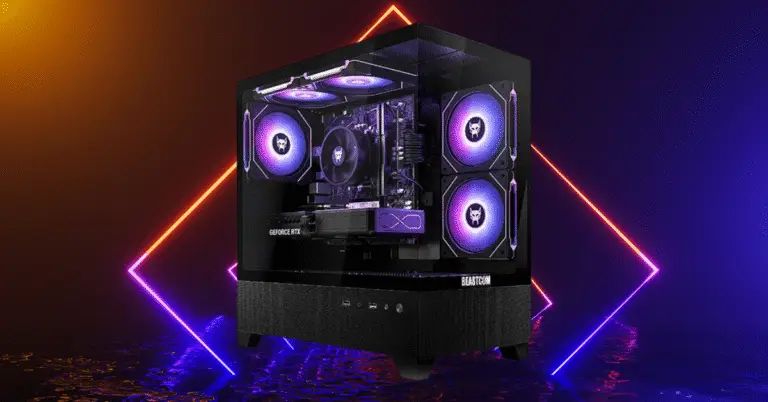
MXZ gaming desktop – the performance leader
the mxz sits at the top of this group with its gtx 1660 super. this card delivers dependable 1080p performance often hitting 60 plus fps on high settings in modern games.
what really stands out here is the cooling. six case fans mean this thing runs cool and stable with basically no thermal throttling. you can push it hard for long gaming sessions without worrying about heat issues. the tradeoff is the 1660 super lacks dlss and ray tracing support so you cant use those features in newer games. its relying purely on raw gpu power which is roughly equivalent to last gen mid range cards.
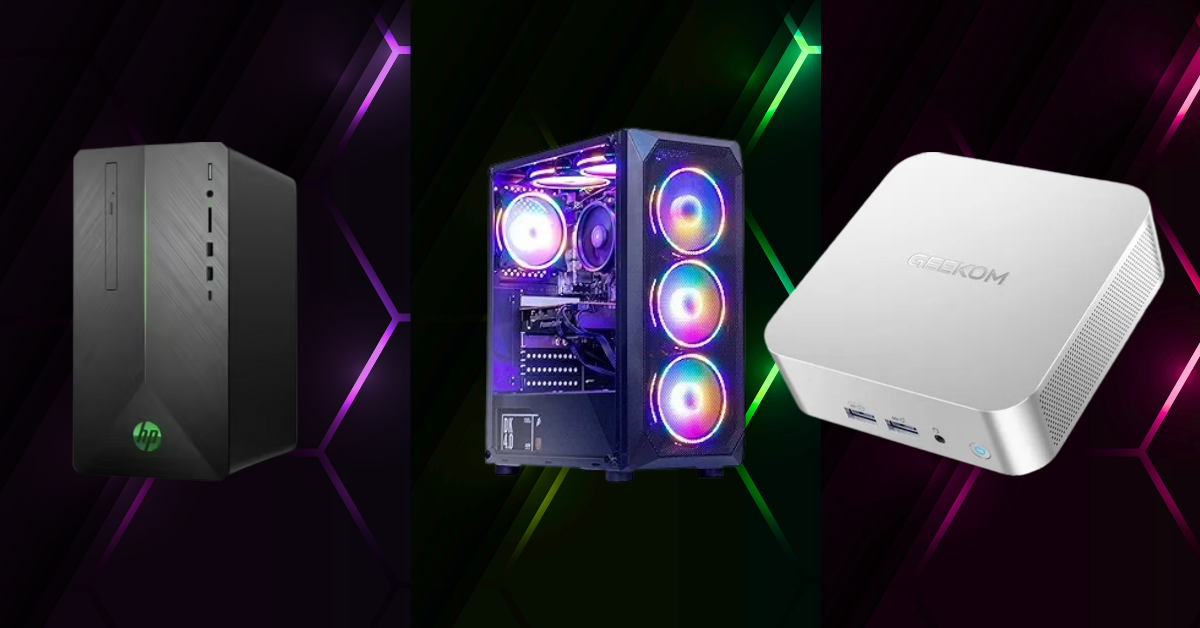
HP pavilion gaming desktop – the budget friendly option
The pavilion packs an older gtx 1650 super class gpu. it gets respectable frame rates at 1080p high in most games. fortnite and other esports titles run around 60 fps on high settings no problem.
Its fine for mainstream 1080p gaming but the latest aaa titles will need medium settings to stay near 60 fps. the cooling is modest but since the components dont pull much power it stays fairly quiet and cool. the single fan gpu and vented case handle thermals adequately for what its doing.
Geekom A6 – the tiny overachiever
The geekom a6 is completely different. its a mini pc with integrated radeon 680m graphics so it cant match the discrete gpus in the other systems. but for its size its actually impressive.
Lighter games run well. forza horizon 5 hits around 60 fps at 720p high settings. even heavier titles are playable with reduced settings – cyberpunk 2077 manages around 30 fps at 720p low with fsr upscaling turned on.
Where it really shines is older or less demanding games. indie titles and 2d games easily hit 60 fps at 1080p or even 4k. the iceblast cooling keeps it cool to the touch but those small fans get loud under gaming load.
None of these systems have input latency issues for normal gaming. they all offer low latency connections and the mxz and geekom even have wifi 6 or 6e for fast networking.
The performance hierarchy is straightforward. mxz desktop leads in gaming power, then hp pavilion, with the geekom a6 last in raw performance. for thermal performance the mxz with its multi fan setup stays coolest while the pavilion and geekom run quiet until you stress them.
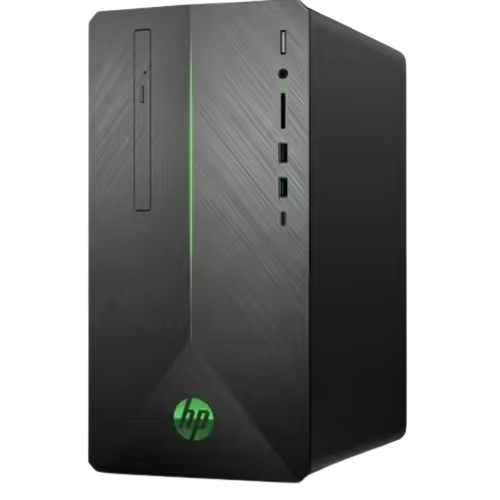 HP Pavilion HP Pavilion |
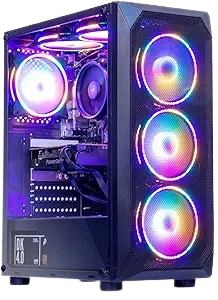 MXZ Desktop MXZ Desktop |
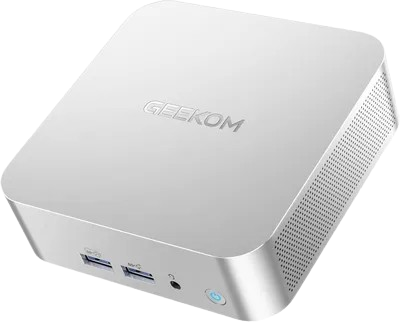 GEEKOM A6 GEEKOM A6 | |
|---|---|---|---|
| CPU | AMD Ryzen 5 3500 | AMD Ryzen 5 5500 | AMD Ryzen 7 6800H |
| GPU | NVIDIA GeForce GTX 1650 Super | NVIDIA GeForce GTX 1660 Super | Radeon 680M |
| RAM | 8 GB DDR4-2666 | 16 GB DDR4-3200 | 32 GB DDR5-4800 |
| Storage | 256 GB NVMe SSD | 500 GB NVMe SSD | 1 TB PCIe 4.0 NVMe SSD |
| Cooling | Air cooling | Air cooling | Active cooling |
who should buy what
MXZ gaming desktop – maximum bang for your buck
The mxz is ideal for gamers seeking maximum performance per dollar. this rig handles serious gaming and even streaming or content creation on a budget.
With its mid range cpu and gpu combo its a great 1080p machine for modern titles and can even do entry level 1440p in some games. perfect sweet spot for students or anyone who wants strong gaming performance without paying for a big brand name.
The flashy rgb lit case appeals to people who love gaming aesthetics and the plentiful fans mean it handles long gaming sessions without overheating. just note the 450w power supply if you plan a major gpu upgrade down the line.
HP pavilion gaming desktop – the beginner special
The pavilion is aimed at budget conscious beginners. its a solid first gaming pc for kids or casual gamers who dont need cutting edge performance.
If your focus is esports, older aaa games, or youre okay turning down settings on new titles the pavilion delivers smooth 1080p gameplay for a low cost. its also a smaller tower that doesnt use much power so it stays quiet and could double as a home office pc.
Just keep expectations realistic. its not built for future proofing or maxing out the latest releases. users call it a fast little computer and a great deal around 650 bucks. consider adding another 8gb ram stick if it comes with single channel memory to maximize performance.
Geekom A6 – the portable multi tasker
The geekom serves a totally different niche. its perfect for a compact living room pc, lan parties, or as a hybrid workstation. this mini pc is smaller than a console but packs a capable cpu.
Great for htpc use, emulators, indie games, and general productivity. its the only one here you can easily toss in a backpack. if youre a gamer who travels or a student with a tiny dorm desk the a6 lets you do some gaming and plenty of work on a mini machine.
Its not meant for aaa ultra graphics but it shines in media playback, retro gaming, and as an everyday pc that can also run games like league of legends, minecraft, or rocket league at decent settings. the dual usb4 ports mean you could even attach an external gpu down the line to boost graphics performance when youre at home. super flexible use case.
|
HP Pavilion |
MXZ Desktop |
GEEKOM A6 | |
|---|---|---|---|
| Price (USD) | ~650$ – 800$ | ~700$ – 800$ | 429$ (16GB/512GB) |
| Pros |
|
|
|
| Cons |
|
|
|
My recommendations based on your situation
Choosing between these comes down to your budget, space, and what you actually need.
If your priority is budget 1080p gaming with solid performance and an upgrade path the MXZ gaming desktop offers fantastic value. for the price of a lower end big brand pc mxz gives you a stronger gpu and cpu that plays new games smoothly at high settings. plus its standard case design means you can swap in a new gpu or more storage in the future. this is the best overall gaming performer in this group.
If you want the lowest cost entry point with a trusted brand the HP pavilion gaming desktop is still viable for basic gaming needs. it wont handle tomorrows most demanding titles unless you drop settings low but for games up to a couple years old and esports hits it gets the job done. its the cheapest way to get into pc gaming from a known manufacturer.
If you need a mini pc for casual gaming or a secondary setup the Geekom a6 is highly recommended. awesome choice for people who value space saving and versatility over raw gaming power. use it as a productivity pc by day and a couch gaming or streaming box by night.
It even supports up to four monitors if youre a multitasker. while its not a traditional gaming desktop its the only one you can mount behind a monitor or fit in a drawer. youd be surprised how many games run well on it given its integrated graphics.
The quick decision guide
Choose MXZ if you want the best gaming performance for your dollar and dont mind an off brand case full of rgb. this is your main gaming machine.
Go with the pavilion if you need the cheapest entry into pc gaming from a known brand and your needs are basic.
Select the geekom a6 if you need a tiny form factor pc that handles light gaming and daily use with the option to supercharge it via egpu in the future.
All three of these have their place. none of them are perfect but each one nails a specific use case. the mxz gives you the most gaming power, the pavilion gets you in the door cheapest with a trusted name, and the geekom is the ultimate space saver that punches above its weight.
Figure out what matters most to you and your budget then pull the trigger. happy gaming.